Canva emerged as a direct response of the need to create visually compelling content, from small business owners crafting social media posts to students preparing presentations

Yet, the professional tools that power the design industry often present a formidable barrier, with complex interfaces and a steep learning curve. Canva challenge is to transform intricate design processes into an accessible, intuitive experience for a non specialist audience.
Defining the Canva Ecosystem: A Platform, Not Just an App
It is important to understand Canva’s fundamental nature. It is not merely a mobile photo editor or a simple template gallery. It is a full featured online design and publishing tool with a robust companion app. Its core purpose is to simplify graphic design through a powerful combination of templating and drag-and-drop functionality, removing the technical barriers traditionally associated with visual creation.
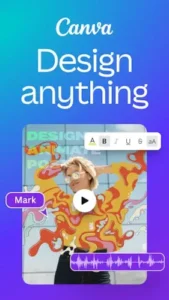
The platform’s scope is vast. It offers a massive library of thousands of professionally designed templates tailored for specific use cases, including social media graphics, marketing flyers, business presentations, resumes, and short form videos. This expansion from static graphics into dynamic content underscores its ambition to be a one stop creative suite. This makes it an essential tool for creating a Canva social media post or a Canva video edit quickly.
The key differentiator, and the source of its widespread adoption, is its foundational commitment to a user friendly approach. Canva was built with the explicit goal of making design accessible to everyone, not just trained graphic designers. This philosophy influences every aspect of the platform, from the logical organization of its workspace to the clarity of its tooltips, ensuring that users feel empowered rather than overwhelmed.
Canva User Workflow: From Idea to Final Design
The user experience is structured for efficiency. It begins with the discovery phase, where you choose from a categorized library of templates. You can search for a specific need like “Instagram Story” or “YouTube Thumbnail,” and the platform presents numerous pre sized, professionally styled options as a starting point, eliminating the guesswork from dimension and layout.
This leads into the customization phase. The heart of Canva is its drag and drop editor. You can replace placeholder images from Canva’s own extensive library or upload your own, change text and fonts with a few clicks, and add elements like icons, shapes, and charts from a built-in content library. The interface provides intuitive controls for adjusting colors, positioning, and layering.
A significant enhancement is the AI layer. Features like the Background Remover can isolate a subject in a photo instantly, a task that would require precise manual work in other applications. The Magic Edit tool allows for intelligent object removal or replacement, and text to image generation can create custom visuals from a simple description, augmenting the creative process.
The workflow concludes with a straightforward output phase. Once a design is complete, it can be downloaded in various formats (PNG, PDF, MP4), shared via a link for feedback, or published directly to connected social media platforms, all within a few clicks.
Canva Core Value :
The primary value proposition is accessibility and speed. The ability to produce high quality visuals in minutes, without prior design training, is Canva’s most significant benefit. This democratization of design enables individuals and small teams to maintain a professional visual presence that was previously difficult to achieve.
A closely related value is cost effectiveness. The free tier of Canva is remarkably powerful, offering a substantial number of templates, elements, and core editing tools. This makes professional grade design economically viable for startups, nonprofits, and individuals, lowering the barrier to entry significantly.
For organizations, the consistency enabled by Canva Pro features like Brand Kits is a major advantage. The ability to store approved logos, color palettes, and fonts ensures that all materials created across a team maintain visual coherence, strengthening brand identity.
Finally, the all in one convenience of having graphic design, basic photo editing, and simple video creation tools within a single, integrated platform reduces app switching and streamlines the entire content creation workflow.
The app holds a 4.8 star rating from over 22 million reviews, is rated for ages 3+, and has a download size of approximately 150 MB. For users seeking more advanced AI powered photo editing, PicsArt is a similar app with a strong focus on creative effects.