

Your graphing calculator is gathering dust. See why 500,000+ students and teachers have switched to GeoGebra CAS Calculator and why you might want to too.
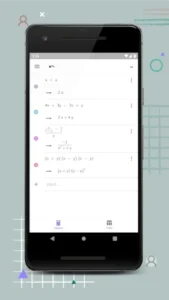

How GeoGebra CAS Handles Math You Thought Needed Paper
Symbolic Math That Feels Like Magic
While most calculator apps just give numbers, GeoGebra CAS understands algebra:
-
Factorization: Type
x³ - 2x² - 5x + 6→ Get(x-1)(x+2)(x-3) -
Equation Solving: Enter
log₂(x+3) = 5→ Returnsx = 29
Calculus You Can Actually See
The app makes abstract concepts tangible:
-
Derivatives: Plot
f(x) = x²and see tangent lines update as you move along the curve -
Integrals: Watch the area under
sin(x)fill as bounds adjust -
Slider trick: Change parameters in real time to visualize how
aaffectsa*e^(-x²)
Graphing That Goes Beyond Basics
-
Polar coordinates: Graph
r = 1 + 2cos(θ)(limaçon curve) -
Implicit plots: Visualize
x² - y² = 1(hyperbola) instantly -
3D sneak peek: While not full 3D, parametric plots like
(sin(t), cos(t), t/10)show depth
GeoGebra CAS Calculator Features That Make It Indispensable
The Statistical Toolkit You Didn’t Know You Needed
-
Linear regression: Input data points → Get
y = mx + bwith R² values -
Probability: Calculate normal distributions without tables
-
Classroom hack: Teachers use it to demo how outliers affect regression lines
Cross Platform Workflow
Start a problem on your phone during commute:
-
Solve
∫(2x, 1, 5)on mobile -
Open laptop later to add graphical analysis
-
Share with study group via link
Compare to: Desmos which has better collaboration but weaker symbolic math.
The Learning Resources Most Miss
-
Built in tutorials for:
-
Matrix operations
-
Differential equations
-
Geometric proofs
-
-
Pro tip: Search “AP Calculus BC” in the resources tab for ready made activities
What Users Think (When No One’s Looking)
The 4.5 stars, 500K+ downloads tells part of the story. Here’s what students and teachers won’t always admit publicly:
The Praise :
-
“My TI-89 Collects Dust Now”
-
Engineering majors report solving differential equations like
y'' + y = 0faster than with physical calculators -
Physics students use it for symbolic manipulation of kinematic equations
-
-
“Limit Calculations That Actually Work”
-
Correctly solves
lim(x→0) (sin(x)/x)→ 1 -
Handles piecewise functions better than most free alternatives
-
The Frustrations No One Talks About:
-
The Backspace Bug of Doom
-
Accidentally holds backspace? There goes your entire integral setup
-
Workaround: Tap don’t hold the backspace key
-
-
Cloud Sync Roulette
-
90% reliable…except during finals week
-
Pro tip: Screenshot important work before logging out
-
GeoGebra CAS vs. The Competition: A Math Teacher’s Breakdown
Against Desmos (4.5 stars):
-
GeoGebra Wins When:
-
You need to factor
x³ - 6x² + 11x - 6symbolically -
Working with matrices and complex numbers
-
-
Desmos Shines For:
-
Instant graphing of
sin(xy) = cos(x+y) -
Classroom collaboration features
-
Against Wolfram Alpha (4.4 stars):
-
Cost Comparison:
-
GeoGebra: Free forever
-
Wolfram: $7/month for step by step solutions
-
-
Best Use Cases:
-
GeoGebra for interactive exploration
-
Wolfram for verbatim homework solutions
-
Against Microsoft Math Solver (4.5 stars):
-
Symbolic Showdown:
-
GeoGebra solves
∫e^(x²)dxsymbolically -
Microsoft better at parsing handwritten
dy/dx = 2x
-
-
Photo Math Reality:
-
Microsoft’s scanner works 95% of the time
-
GeoGebra’s strength remains manual input
-
Pro Tips From Calculus Professors
-
The Slider Revolution
-
Create
a,b,csliders forax² + bx + c -
Perfect for visualizing how discriminant affects roots
-
-
Instant Analysis Shortcuts
-
Long press any graph point for coordinates
-
Right-click equations to solve for specific variables
-
-
Keyboard Wizardry
-
\inftyfor ∞ symbol -
\partialfor ∂ (partial derivatives) -
\sqrt[n]{x}for nth roots
-
-
The Hidden Calculator
-
In app search: type “3D” for experimental tools
-
Find all function roots with one
Roots[...]command
-

Conclusion :
Best For:
-
University STEM Students:
-
Solves Laplace transforms and vector calculus
-
Handles abstract algebra proofs
-
-
High School Teachers:
-
Create interactive demonstrations
-
Generate infinite practice problems
-
Not Ideal For:
-
Basic Math Needs:
-
Overkill for arithmetic and simple algebra
-
No photo based problem solving
-
-
Perfectionists:
-
Occasional rendering glitches
-
No iOS widget support
-
GeoGebra CAS Calculator fills a unique niche between free graphing tools and expensive computer algebra systems. While it won’t replace Mathematica for researchers, it gives students professional-grade math tools without the $100+ price tag of graphing calculators.
FAQ
Can GeoGebra CAS Calculator handle complex algebra simplifications?
Absolutely. It crunches expressions like 4x + 3y - 2x + y into 2x + 4y instantly. For tougher tasks, like factoring polynomials, it’s a game changer. Try it yourself: Download GeoGebra CAS Calculator from Google Play Store.
How to solve differential equations with GeoGebra CAS Calculator?
Input your equation, and let the CAS engine do the heavy lifting. Need help? Contact the developer at office[at]geogebra.org.
Is there a desktop version for deeper math work?
Yes, more screen space, fewer finger cramps. Get the full toolkit at GeoGebra CAS Calculator official website.
Why does my factored result look different than expected?
CAS tools prioritize canonical forms. If (x+1)² and x² + 2x + 1 are mathematically identical, the tool picks the cleanest output.
Can I use this for teaching or just self study?
Both. It’s a Swiss Army knife for students and educators. The step-by-step solutions alone are worth the download.