

You wouldn’t hand out your home address to strangers – so why give your real phone number? Hushed solves this modern privacy dilemma with temporary numbers that live on your existing smartphone.
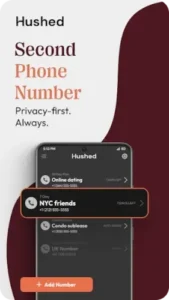

Hushed it’s become the go to solution for anyone needing to separate personal and professional communications. With 5 million downloads, a 3.3 star rating (53,000+ reviews).
Why This Isn’t Just Another Calling App
Three features make Hushed stand out in the crowded second number market:
-
Instant Number Access
Get a working phone number in under 90 seconds – faster than brewing coffee. Choose from:-
Local area codes (300+ options)
-
International numbers (select countries)
-
Custom vanity numbers (premium feature)
-
-
True Number Isolation
Unlike carrier-provided second lines, Hushed numbers:-
Don’t appear on your phone bill
-
Can be disposed with one tap
-
Operate independently from your main number
-
-
Flexible Use Cases
The same app works for:-
Online dating safety
-
Marketplace sales
-
Business client communications
-
Travel SIM alternatives
-
How Hushed Works :
The Number Setup Process
-
Download the app (iOS/Android)
-
Select your desired area code
-
Choose a payment plan (from 24 hour rentals to annual numbers)
-
Start calling/texting immediately
No ID verification. No carrier approval. Just instant privacy.
The Technology Behind the Scenes
Hushed uses VoIP (Voice over Internet Protocol), meaning:
-
Calls/texts use WiFi or mobile data
-
No physical SIM card needed
-
Service quality depends on internet connection
What Hushed Knows (And Doesn’t Know)
The app stores:
-
Your purchased numbers
-
Call/text logs (until number disposal)
It cannot access:
-
Your device’s main number
-
Other apps on your phone
-
Personal files or contacts
Features You’ll Actually Use Daily
Auto Reply That Sounds Human
Set different responses for:
-
Business hours (“Thanks for contacting Acme Co, we’ll reply by 5PM”)
-
After hours (“Got your message, responding tomorrow”)
-
Dating app matches (“Busy now, text you tonight!”)
Media Messaging That Works
Supported attachments:
-
Photos (JPEG/PNG up to 5MB)
-
Videos (MP4 under 30 seconds)
-
Audio messages (3 minute limit)
Call Forwarding Without Exposure
Route calls to:
-
Your real number (caller sees your Hushed number)
-
Another Hushed number
-
Voicemail with custom greetings
Number Lifecycle Management
-
Create: Add numbers for specific purposes (e.g., “May garage sale”)
-
Park: Temporarily disable unused numbers
-
Dispose: Permanently delete numbers when done
How Long Do Hushed Numbers Actually Last?
Hushed offers three main number types, each with different lifespans:
Pay As You Go Numbers
-
Duration: 24 hours to 30 days
-
Cost: Starts at $1.99 for a 24-hour number
-
Best for: One-time verification codes, short-term sales, or dating app safety
Monthly/Annual Subscriptions
-
Duration: Renews automatically until canceled
-
Cost: $4.99/month (discounted for annual plans)
-
Best for: Business lines, long term marketplace use, or ongoing privacy needs
Disposable Numbers (Auto-Delete After Use)
-
Duration: Single use or until manually deleted
-
Cost: Included in some plans
-
Best for: High-risk verifications (e.g., sketchy classified ads)
Extending Your Hushed Number’s Life
Want to keep a number longer? Try these tricks:
Renew Before Expiry
-
Set a calendar reminder 2 days before expiration
-
Avoid losing a number mid-conversation
Use Park Mode (For Subscriptions)
-
Temporarily disable a number instead of deleting it
-
Saves your number (and associated messages) for future use
Stack Short Term Plans
-
Buy multiple 7 day passes instead of a monthly plan
-
Works out cheaper if you only need a number sporadically
When to Rotate Numbers (And When to Keep Them)
Rotate Immediately If:
-
You’re done with a marketplace sale
-
A dating match turns creepy
-
You used it for a sketchy verification
Keep Long Term If:
-
It’s tied to business contacts
-
You’ve built trust with clients/customers
-
You’re traveling and need a local contact
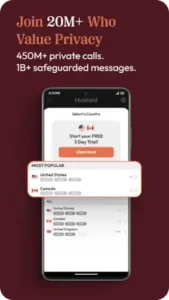
Which Services Accept Hushed Numbers?
Not all platforms allow VoIP numbers. Here’s what works (and what doesn’t):
Works For:
-
Dating apps: Tinder, Bumble, Hinge
-
Marketplaces: Facebook Marketplace, Craigslist
-
Social media: Twitter, Instagram (for account recovery)
Often Blocked:
-
Banking/Finance: PayPal, Venmo
-
Secure services: WhatsApp, Telegram (sometimes)
-
Government verifications: IRS, DMV portals
Workaround: Use a Google Voice number (free) for verifications, then switch to Hushed.
Travel Hacks: Keeping a Local Number Abroad
-
Buy a number before you travel (app works worldwide)
-
Use WiFi calling to avoid roaming charges
-
Set auto reply for time zones (“Replies may be delayed due to travel”)
FAQ
Where can I download Hushed?
Get Hushed from Google Play Store or visit Hushed.com. For support, email support[at]hushed.com.
How can I extend my Hushed number life?
Renew before expiration, use Park Mode for temporary pauses, or stack short-term plans.
Can I use Hushed numbers internationally?
Yes, select countries support inbound/outbound calls. WiFi calling works worldwide – ideal for travel.
Why do some services block Hushed numbers?
Some platforms restrict VoIP numbers for security. Try Google Voice for verifications, then switch to Hushed.
How many numbers can I manage simultaneously?
Up to 5 active numbers on premium plans, each with separate contacts and settings.