

Brilliant is not like most learning apps that show you videos. You watch. You take notes. You hope something sticks.
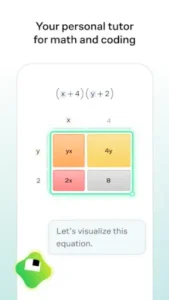

Brilliant gives you a problem. You solve it. You get immediate feedback. You learn by doing, not by watching. The approach is active, not passive.
What is Brilliant ?
You are looking at an interactive learning app from Brilliant.org that teaches math, science, and coding through problem solving instead of passive video lessons.
Brilliant is designed as a superintelligent tutor for math and coding, and it centers on active learning rather than memorization. The app covers topics across mathematics, science, and computer science, with lessons built to strengthen problem solving skills. Its style is closer to an interactive classroom than a traditional learning app, which is why many users describe it as engaging and mentally challenging.
Brilliant holds a 4.7 star rating from more than 111,000 reviews.. The app size is roughly 80 MB. The age rating is 12 and up. The app is free with a premium subscription for full access.
An interactive learning app that teaches math, science, and coding through problem solving
The category matters here. Brilliant is not a video course. It is not a textbook. It is an interactive problem-solving platform. You are presented with a challenge. You work through it step by step. If you make a mistake, you get immediate feedback. The learning comes from doing, not from watching.
Who this app was built for
Students who want to learn math and science through active practice
Do you struggle to stay engaged with textbooks and lectures? Brilliant keeps you active. You solve problems. You think critically. The engagement is high.
Professionals who want to improve analytical and coding skills
Analytical skills are valuable in any field. Brilliant strengthens logical thinking. The coding courses teach practical skills. The lessons are applicable to real work.
Lifelong learners who enjoy challenging problem solving
Learning does not stop after school. Brilliant is for people who enjoy mental challenges. The problems are engaging and rewarding.
Anyone who prefers interactive learning over passive video lessons
Some people learn by doing. Others learn by watching. Brilliant is for the doers. The interactive format is the main draw.
Brilliant Main Features
Interactive problem solving lessons
The lessons are not lectures. They are problems. You work through them step by step. The learning is active.
Courses in math, science, and coding
The course catalog is broad. Mathematics. Physics. Computer science. Data science. Artificial intelligence. The topics are varied.
Step by step explanations with immediate feedback
Each problem has a solution path. You get feedback immediately. If you are wrong, you learn why. The feedback is the learning mechanism.
Personalized learning paths and structured progression
The app adapts to your skill level. You start with basics. You progress to advanced topics. The path is structured.
Community discussion around lessons and ideas
Learners can discuss problems. They can share solutions. They can help each other. The community adds a social layer.
Daily practice for maintaining analytical skills
Consistency is key. Brilliant encourages daily practice. Short sessions build long-term skills.
Mobile app access across iOS and Android
The app is available on both platforms. You can learn on your phone or tablet. The mobile experience is polished.
Premium subscription options for broader course access
The free version has limited content. Premium unlocks all courses. The subscription is the main revenue model.
Brilliant Graphics and Design
Clean, modern, highly interactive interface that keeps focus on lesson content
The design is minimal. The focus is on the problem. No distractions. The interface is clean.
Visual, smooth, and intuitive design for working through challenging problems
The interactions are smooth. You drag. You tap. You type. The design supports the learning flow.
Visual language is simple enough to reduce clutter but polished enough to feel premium
The app looks professional. The design is not flashy. It is polished and functional.
Where the design works well
The app is easy to use. The problem interface is clear. The feedback is immediate.
Where language support and pricing affect the experience
The app is in English. Strong English skills are required. The subscription cost is a barrier for some.
What users say about the Brilliant app
The parts people enjoy
Positive reviews often mention the engagement. The problem-solving approach is praised. The design is called beautiful.
One user wrote: “Finally a learning app that actually makes me think. The problems are addictive.”
The parts people complain about
No learning app escapes criticism. Here is what comes up most often.
Pricing is a common concern; subscription cost can be high
Brilliant is not cheap. The subscription cost is high for some users. Free content is limited.
Language support is limited; strong English required for most lessons
The app is English only. Non native speakers may struggle. The language barrier is significant.
Some lessons may be too challenging for absolute beginners
The problems are not easy. Absolute beginners may feel overwhelmed. Some prior knowledge is helpful.
Not a full replacement for school or formal education
Brilliant is a supplement. It is not a complete curriculum. Formal education still has its place.
How the Brilliant app mechanics work
Gamified learning mechanics with progress tracking, streak like habit building, and challenge based lessons
The app uses gamification. Progress tracking. Streaks. Challenges. The mechanics keep you engaged.
Learn by solving interactive problems, not watching lectures
The core mechanic is problem solving. You learn by doing. The active approach is the differentiator.
Loop of attempt, feedback, correction, and mastery
The loop is simple. Attempt a problem. Get feedback. Correct your approach. Master the concept. The loop repeats.
Feels similar to puzzle solving or training rather than passive study
Brilliant feels like a puzzle game. The problems are engaging. The learning is active.
Structured progression through courses and topics
The courses are structured. You start at the beginning. You progress through the material. The structure is clear.
Daily practice for skill maintenance
Consistency is encouraged. Daily practice builds momentum. Short sessions are effective.
Looking for another interactive learning app that teaches through problem solving? Check out Khan Academy, a free educational platform with video lessons and practice exercises.
Brilliant App Tips that actually help
You can start Brilliant app and solve your first problem in minutes. Getting the most out of the interactive lessons takes a little strategy. These tips help you learn effectively and build real skills.
Start with beginner friendly courses to build confidence before moving into advanced topics
Here is a question. Why do some users quit after a few lessons? They started with material that was too advanced.
Brilliant tips from experienced users all say the same thing. Start with beginner courses. Build confidence. Learn the problem solving patterns. A player who masters the basics progresses faster than a player who jumps into advanced topics. The beginner courses are the foundation.
Treat lessons like puzzles and work through them actively instead of rushing
New users rush. They want to finish lessons quickly. They miss the learning.
Treat each lesson like a puzzle. Take your time. Think through each step. A player who works actively learns more than a player who rushes. The process is the learning.
Use the app consistently; daily practice helps build momentum and confidence
Brilliant similar apps reward consistency. This app does too.
A short session every day is better than a long session once a week. A player who practices daily builds momentum. A player who practices sporadically forgets. Consistency is the key to progress.
Read explanations carefully after each answer; learning value often comes from the feedback
Brilliant app gives immediate feedback. The explanations are detailed.
Do not skip the explanations. Read them carefully. A player who reads the explanations learns more than a player who only looks at the correct answer. The feedback is the learning mechanism.
If you struggle with English, be aware that language support may affect your experience
Brilliant app is English only. The explanations are in English. The problems are in English.
If English is not your first language, take your time. Use a dictionary if needed. A player who understands the language learns more than a player who struggles. The language barrier is real.
Focus on one subject at a time so problem solving patterns become familiar
Brilliant app has many subjects. Math. Science. Coding.
Focus on one subject. Master the patterns. Then move to the next. A player who focuses on one subject builds deep understanding. A player who jumps between subjects builds shallow knowledge.
Try both math and coding tracks to see where the app fits your goals best
Brilliant app is broad. Math track. Coding track.
Try both. See which one fits your goals. A player who explores both finds the right fit. A player who sticks to one may miss the better option.
Use the app as a supplement to school, work, or self study rather than a full replacement
Brilliant app is a supplement. It is not a complete curriculum.
Use it alongside other learning resources. A player who supplements their learning gets more value than a player who relies only on the app. The app is a tool, not the entire solution.
Apps similar to Brilliant
If you like Brilliant, here are five other apps worth your time. Each offers something similar with a different twist.
Khan Academy
Khan Academy is the most direct comparison. Free educational content. Math, science, and more. Brilliant similar apps should start here. The difference is that Khan Academy uses video lessons with practice exercises. Good for users who want a free alternative with a broader scope.
Duolingo
Duolingo uses gamified learning for languages. The difference is that Duolingo is focused on language, not math and coding. Good for users who want gamified learning in a different subject.
Elevate
Elevate focuses on cognitive skills. Reading. Writing. Math. The difference is that Elevate is more about brain training than structured learning. Good for users who want to sharpen general skills rather than learn specific subjects.
Codecademy
Codecademy teaches coding through interactive lessons. The difference is that Codecademy is purely focused on programming. Good for users who want to learn coding specifically.
Coursera
Coursera offers university style courses. Video lectures. Quizzes. Certificates. The difference is that Coursera is less interactive and more traditional. Good for users who want structured courses with certification.
Brilliant App Community
Brilliant has a community layer. It is not social media. It is a learning community.
Includes a community element where learners can discuss challenges and ideas
Learners can discuss problems. They can share solutions. They can ask for help. The community is a support network.
Gives a social learning layer without turning into a multiplayer game
The community adds social value. It does not distract. The focus remains on learning.
Community is valuable for comparing solutions, understanding difficult concepts, and staying motivated
A player who engages with the community learns faster. A player who studies alone misses the social layer. The community adds motivation.
Learners share insights and help each other understand challenging topics
The community is active. Learners help each other. The shared knowledge is valuable.
Conclusion
Brilliant works for three types of people. First, students who want to learn math and science through active practice and problem solving. Second, professionals who want to improve analytical and coding skills for their careers. Third, lifelong learners who enjoy challenging problem solving and interactive learning.
Pricing is a common concern; subscription cost can be high. Language support is limited; strong English required for most lessons. Some lessons may be too challenging for absolute beginners. Not a full replacement for school or formal education.
Do you want to learn math, science, and coding through interactive problem solving, even if the subscription cost is high and strong English is required? Or do you prefer free, video-based learning with less interactivity?
If the first one, Brilliant offers one of the best interactive learning experiences available. If the second one, look at Khan Academy for free video lessons. Both answers are fine. Just know what you want.
FAQ (Frequently asked questions about Brilliant)
How do I get Brilliant download on my phone?
Go to the Google Play Store if you use Android. Search for Brilliant Learn Math & Coding. The developer is Brilliant.org. Tap install or use the direct link to Download Brilliant from the Official Google Play Store.
Is Brilliant free to use, or do I need to pay?
The app is free with limited content. You can try the first few lessons and daily challenges without paying. Premium unlocks the full course catalog, including all math, science, and coding courses. Premium is available through a monthly or annual subscription. Free users can still get a feel for the interactive learning style before committing.
Where can I find the official website and help documentation?
The official Brilliant website has information about courses, pricing, and learning paths: Official Brilliant Website. For troubleshooting, user guides, and community discussions, check the help center on the website Official Brilliant Help Page.
I have a problem with the app. Who do I contact?
Send an email to the Brilliant support team. They handle account issues, billing problems, bug reports, and technical support. Here is the address: android[at]brilliant.org. For Brilliant download problems or installation issues, that same email applies. Include your device model, app version, and a description of the problem.
Do I need to know math before starting Brilliant?
No. Brilliant offers courses for all skill levels. You can start with beginner courses that assume no prior knowledge. The lessons guide you step by step. Each problem builds on the previous one. If you are completely new to a subject, start with the introductory courses. If you already have some knowledge, you can skip ahead to more advanced topics. The app adapts to your level.