

Firefox is a fast, private browser developed by the non profit Mozilla Foundation, designed with user control and data protection as its core tenets from the ground up.


Firefox app holds a 4.7 star rating from over 5 million user reviews and has a download size of approximately 80MB. It is designed for a broad age range, from privacy conscious teenagers to professionals seeking a more controlled and ethical web experience.
Firefox Philosophy and Privacy Mechanics of Firefox
The fundamental differentiator for Firefox is its origin. Developed by the Mozilla Foundation, a non profit organization, its primary mission is to build a better internet for users, not to generate advertising revenue. This structural difference directly influences its development priorities.
This philosophy manifests technically in its Enhanced Tracking Protection in Firefox. This feature is active by default and automatically blocks known third party trackers, cookies, and fingerprinters from following you across websites. This reduces the amount of your data that is collected and sold without your explicit consent. Its private browsing mode also goes a step further than many competitors. Not only does it not save your history or cookies from the session, but it also offers an option to lock these private tabs with your device’s fingerprint or PIN, adding a physical layer of security.
Firefox Features: Customization and User Control
Where Firefox truly separates itself is in the control it returns to the user. A key feature is its support for a wide range of Firefox extensions. Unlike most mobile browsers, you can install add-ons like uBlock Origin for advanced ad-blocking or Dark Reader for consistent dark mode browsing. This transforms the mobile web experience from a walled garden into a customizable tool.
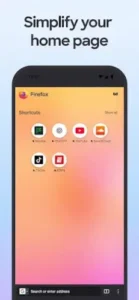
Another significant advantage is Firefox Sync across devices. By creating a free Mozilla account, you can securely synchronize your open tabs, saved passwords, bookmarks, and history between your phone, tablet, and desktop computer. This creates a continuous browsing experience without handing your data to a major tech conglomerate. The interface itself is also flexible, allowing you to move the address bar to the bottom for easier one-handed use and customize your home screen with preferred shortcuts.
Firefox User Experience and Daily Use
The application presents a clean and functional design. Tab management is intuitive, using visual thumbnails, and the overall navigation is designed for thumb friendly use on mobile screens. In terms of performance, the Firefox browser for Android is a fast and capable engine that feels responsive, proving that robust privacy protection does not require a sacrifice in speed.
New users may encounter a slight learning curve, particularly with the behavior of the address bar or the process of organizing a large number of bookmarks, which some find more streamlined on the desktop version. However, the initial adjustment is generally quick.
The primary considerations from users often involve occasional sync irregularities between devices after major updates. Some also note that while functional, the mobile interface for managing a very large and complex set of bookmarks can feel less powerful than its desktop counterpart, suggesting that heavy organizational work is best done on a computer.
For those considering other privacy-focused options, a similar and highly-regarded application is Brave Browser, which incorporates built-in ad and tracker blocking. However, Firefox’s non profit status and its extensive, open extension library give it a distinct position for users who prioritize customization and supporting a mission driven organization.
Firefox Tips and Best Practices
To get the most from the Firefox app, a strategic setup is key. Your first action should be to create a Mozilla account. This is the foundation that enables Firefox Sync across devices, allowing your passwords, bookmarks, and open tabs to follow you seamlessly from your phone to your desktop. Setting this up early ensures your browsing continuity from the very beginning.
For those seeking maximum privacy, the standard protections are just the start. Dive into the settings and enable the stricter tracking protection mode. Then, visit the Firefox extensions library to install add-ons like uBlock Origin. This combination creates a powerful barrier against ads and trackers, giving you one of the most private mobile browsing experiences available. These are some of the most effective Firefox tips for taking control of your data.
To optimize your daily workflow, take advantage of the interface flexibility. Move the search bar to the bottom of the screen in the settings; this small change makes one handed browsing significantly easier. Do not overlook the picture-in-picture feature either. When watching a video, simply swipe out of the Firefox browser to let the video play in a small, movable window, allowing you to read an article or check your email at the same time.
Firefox Similar Apps in the Browser Landscape
How does Firefox compare when placed alongside other privacy focused browsers? A neutral comparison helps clarify its specific value. Brave offers robust, built-in ad-blocking and has a integrated crypto wallet, appealing to those who want strong default protection with Web3 features. The DuckDuckGo browser prioritizes extreme privacy simplicity, automatically clearing tabs and data after use. Chrome provides deep integration with the Google ecosystem and services.
The category of Firefox similar apps often lacks its specific combination of a non-profit background and extensive customization. Firefox’s unique position is that of a highly customizable, extension friendly platform from an entity that is not driven by shareholder profit. It is for users who want both powerful control over their browsing experience and the assurance that comes with supporting a mission-driven organization.
Conclusion :
The Firefox app serves as a principled and powerful tool for users who assign a high value to their privacy and wish to maintain genuine control over their online experience. It demonstrates that a browser can be both feature rich and respectful of user data.
For the conscious web citizen, Firefox remains an essential choice. It provides a robust, fast, and deeply customizable alternative to data driven browsers, proving that you do not need to compromise on performance or utility to browse the web on your own terms. It is a tool built not to exploit your attention, but to empower it.
Frequently Asked Questions
What makes Firefox different from other mobile browsers?
It is developed by the non profit Mozilla Foundation, which means its primary goal is user privacy, not selling data. It offers strong default tracker blocking and supports extensions on mobile, giving you more control than most alternatives.
How do I perform a Firefox download and set up sync?
You can get the Firefox app from the official Google Play Store. To enable sync, create a free Mozilla account during the initial setup or in the settings. This will link your browsing data across all devices where you use
Can I use ad blockers with Firefox on my phone?
Yes, this is one of its key advantages. The Firefox app supports a wide range of extensions. You can visit the add-ons menu within the browser to install popular ad-blocking extensions like uBlock Origin directly.
Is my data secure with Firefox Sync?
Yes, your data is encrypted. Mozilla uses a privacy-first approach to sync, and your passwords, bookmarks, and tabs are secured during transmission and storage. You can review their privacy policy for specific details on data handling.
Where can I learn about its development history or get support?
For technical history and background, you can consult the Wikipedia page for Firefox. For direct application support, you can contact Mozilla at support@mozilla.org.