

WWE App is not a streaming service and that is the first thing you need to understand before you download it.
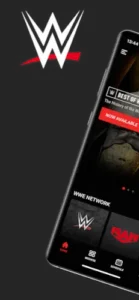

WWE App is the official companion app for fans who want news, results, Superstar profiles, title histories and ticket access in one place. It currently holds a 4.5 star rating from over 785,000 reviews on Google Play, with 10 million+ downloads. The install size sits around 80 MB to 120 MB and the age rating is Teen due to violence and language. These numbers reflect a clear positioning: it is a hub for staying informed and connected, not a place to watch every WWE show.
What Is WWE App
World Wrestling Entertainment built this app for fans who want a single destination for WWE coverage. You open it and you see the latest headlines, event results and video clips. You can browse Superstar profiles, check title histories and even buy tickets to live events or official merchandise.
The core of the WWE App is an “information hub,” not a “player.” If you are looking for a place to watch Raw or Premium Live Events, this is not it. WWE directs fans to Netflix for Raw, the ESPN app for Premium Live Events in the U.S and Peacock for Saturday Night’s Main Event. The app tells you what happened and where to watch it. It does not stream the shows itself.
WWE App Mechanics of Following WWE
News and Results
The app aggregates WWE news and announcements in one place. After a Premium Live Event, Raw, SmackDown or NXT, you can check the results and read the coverage. This is useful if you missed a show and want to catch up quickly without scrolling through social media.
Superstar and Title Content
You can browse Superstar profiles and title histories. This is the app’s strongest feature for long time fans. If you want to know who held a championship and for how long or you need a quick reference for a wrestler’s background, the app has it. The Superstar database in the WWE App is more organized than the official website in some cases because it is built for mobile browsing.
Videos and Second Screen Content
The app includes video clips and highlights. It also has WWE Active style companion features during live programming. This was designed as a second screen experience, where you watch the show on TV and use the app for backstage interviews, match continuation videos, and other companion content. The feature is not always active, but when it is, it adds a layer that the TV broadcast does not have.
Tickets and Merchandise
You can access live-event tickets through the app and browse official WWE merchandise. This makes the app useful not just for following WWE, but also for planning attendance at live events or buying branded products.
What the WWE App Does Not Include
It is not a standalone streaming service for every WWE show. In the U.S., WWE directs Premium Live Events to the ESPN app with an Unlimited plan, Raw to Netflix and Saturday Night’s Main Event to Peacock. International availability differs, with WWE saying Netflix is the home for live Raw, SmackDown, NXT and Premium Live Events in most regions.
The boundaries of the WWE App are clear. It tells you what happened, it tells you where to watch it, but it does not play it for you. If you factor in the subscription costs for Netflix and ESPN, the app’s value looks more like an “index” than “content.”
WWE App Design and Interface
The design is dark, high contrast and media first. It fits WWE’s visual identity with bold branding, Superstar imagery and video thumbnails. The interface is built around quick access to news, results, videos, Superstars, tickets and merchandise.
The trade-off is navigation. Older reviews repeatedly criticize the interface, especially after redesigns. Users report broken back navigation, inaccessible favorites and difficulty returning from Superstar pages. The navigation issues in the WWE App are not a universal complaint, but they are frequent enough that you should know about it before you invest time in the app.
What Users Say About WWE App
What users like
Users appreciate having a central hub for WWE news, results, and Superstar information. The app provides event information, title histories, and official WWE content in one place. The 4.5 star overall rating indicates that many users find the core experience useful.
Were its need work
Connectivity issues are the biggest complaint. Weak Wi-Fi or cellular signal can trigger network errors and force the app to restart. Navigation problems are second. The Superstars section opens a second screen without a clear back arrow and using Android’s back button can exit the app entirely. Missing or changed features are third. Reviewers mention the loss or inaccessibility of the Favorites list and Watchlist features. Video playback issues are also reported, with older reviews describing skipping and unplayable videos.
Does the WWE app require a subscription?
No. The WWE App itself is free to download and use. All information based content, including news, results, Superstar profiles, title histories, video clips and ticket entry points, does not require payment. It has ads, but you can access all non live content without spending money.
But if you want to watch live events, that is a different story. In the U.S., Raw requires a Netflix subscription, Premium Live Events require an ESPN Unlimited plan and Saturday Night’s Main Event requires Peacock. The WWE App itself is free, but the streaming services it points you toward are not. This distinction matters because many people confuse “free app” with “free content.”
How to cast WWE app to TV
The app does not have a built-in cast button. You cannot tap an icon and push a video to your TV like you can on YouTube. To watch content from the WWE App on your TV, the most direct method is using your phone’s system level screen mirroring, like Android’s Smart View.
But there is a practical problem: screen mirroring casts your entire phone screen, not just the video in the app. This means your notifications, messages and calls will show up on the TV. If you just want to watch a backstage interview on the big screen, mirroring works. If you want to watch a Raw live stream on TV, mirroring will not solve it because the app does not provide Raw live streams. If you want to watch live on TV, you need the native TV apps for Netflix, ESPN or Peacock, not the WWE App cast to your screen.
How to Chromecast WWE app
Just like casting, the WWE App does not have native Chromecast support. You will not find a Cast icon inside the app. If you have a Chromecast, you need to use the Google Home app to mirror your entire phone screen to the TV.
The limitations are the same as above. It is mirroring your whole screen, not an optimized video stream. Quality depends on your network and phone performance, and the latency is higher than you might expect. If you just want to watch a short clip, it is acceptable. If you want a stable viewing experience, this method will disappoint you.
What devices support the WWE app
It officially supports Android and iOS. The Android version requires a relatively recent OS version and the iOS version has a minimum system requirement. It is available on both the Google Play Store and the App Store.
But note that the WWE App is not a cross platform content sync tool. The news and results you see on your phone are the same as on a tablet, but your watch progress, favorites list and browsing history do not sync across devices. This is not a design flaw. It is a positioning issue. It is not a product that requires you to log into an account to sync your experience. It is an information portal you open anytime to check updates.
How to fix WWE app not loading videos
Video loading failures usually come down to three reasons. First, an unstable network. User feedback repeatedly mentions that on weak Wi-Fi or poor signal, the app throws network errors or even force restarts. Second, an outdated app version. Some video formats or streaming protocols only parse correctly on newer versions. Third, server side issues. WWE’s videos are hosted on external services, and sometimes the problem is not on your end.
The troubleshooting order is: try a stable network first, then check if the app needs an update, and finally uninstall and reinstall. Video playback issues in the WWE App are often not app bugs. They are a combination of network environment and server status.
How to restore purchase on WWE app
The WWE App itself has no in-app purchases that require “restoring.” It is not an app that unlocks features through purchases. If you bought tickets or merchandise through the app, those transactions go through external ticketing platforms or the official WWE store. The restore process happens on those platforms, not in the WWE App.
If you bought content related to WWE Network inside the app, that requires clarification. WWE Network has been merged into Peacock (U.S.) and Netflix (other regions). It is no longer a standalone service. Not finding a “Restore Purchase” button in the WWE App is not a bug. It is because there are no purchases to restore.
How to update the WWE App
Search for WWE on Google Play or the App Store. If an update is available, you will see an “Update” button. You can also find it in the “Manage Apps” or “Installed Apps” list in your app store and check for updates manually.
Automatic updates are usually on by default, but if you turned them off or your device is low on storage, the update may fail. Keeping the app updated is the first step to fixing many weird issues, because WWE’s changelogs often just say “bug fixes and performance improvements,” but the actual fixes may include the exact problem you are facing.
WWE app black screen
Black screens usually happen when loading videos or switching pages. Causes can be video codec incompatibility, insufficient memory, or network request timeouts.
A practical troubleshooting method: force close the app, then reopen it. If it is still black, check your phone’s storage. Insufficient storage prevents the app from caching video data. If the problem persists, try switching between Wi-Fi and mobile data. Sometimes it is a DNS resolution issue on a specific network.
How to watch WWE live on the app
You cannot watch live on the WWE App. This is not a deeply hidden feature. It simply does not exist.
In the U.S., the path to live content is this: Raw on Netflix, Premium Live Events on ESPN (with an Unlimited plan), and Saturday Night’s Main Event on Peacock. Most international users watch through Netflix. The job of the WWE App is to tell you “what is happening right now,” not to “let you watch what is happening right now.” If you are searching for how to watch WWE live on the app, the answer is: use a different app.
WWE app offline download
The WWE App does not support offline downloads. There is no download button and no offline viewing option. All content requires an internet connection.
This aligns with its positioning. It is an information companion, not a media library. If you need offline WWE content, the Netflix and Peacock apps support downloads (depending on your subscription and region). The WWE App does not.
Can I download shows on the WWE app
No. Same reason as above. The WWE App does not provide full show downloads. It only provides clips and highlights, and even those require an internet connection to play.
If you want to download full Raw or SmackDown episodes, you need the Netflix or Peacock apps. The “download” function in the WWE App does not exist. This is not a hidden setting. It is a product positioning gap.
WWE app network error
Network errors are one of the most common issues in user feedback. The symptom is seeing “Network Error” or “Unable to Connect” after opening the app, sometimes followed by a forced restart.
This problem is usually related to your network environment, not the app itself. Weak signal, VPNs, DNS pollution or carrier blocking can all cause it. The most direct fix for network errors in the WWE App is to switch networks (Wi-Fi to mobile data or vice versa), turn off your VPN and restart your phone. If the problem persists, check WWE’s server status. Sometimes it is a server side issue.
WWE App Tips
Use It for Results and Recaps
The most practical WWE App tip is this: do not treat it as a player, treat it as a “match report.” WWE’s official viewing guide clearly routes U.S. users to different platforms: Raw on Netflix, Premium Live Events on ESPN’s Unlimited plan and Saturday Night’s Main Event on Peacock. The job of the WWE App is to tell you “what happened” and “where to watch it,” not to stream it for you.
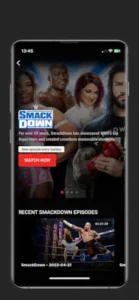
If you missed last night’s SmackDown, opening the app to see results and written recaps is faster than scrolling through fragmented social media posts. Its updates are often faster than news sites because the content comes directly from WWE.
Check the Superstar Section Before an Event
Spend two minutes browsing the Superstar profiles before a show starts. This is useful for both long time viewers and new ones. Long time viewers can quickly confirm championship lineages. New viewers can figure out “who this person is and who they have a feud with.”
The Superstar database in the app WWE App is better organized than the official website’s mobile experience because it is designed specifically for mobile browsing. Title histories, height, weight, entrance music, and career highlights are all on one page without requiring extra clicks.
Use the App on a Stable Connection
This is the most concentrated pain point in user feedback. On weak Wi-Fi or unstable signals, the app throws network errors and sometimes force restarts. If you open it in a stadium, on the subway, or in a café with bad reception, be prepared for that.
The connection stability of the WWE App is one of its biggest weaknesses. A workaround is to load the content you want in advance on a stable network, or just use a browser to visit the WWE website. The app’s offline caching is limited, so do not expect it to work normally when disconnected.
Use Android’s Back Gesture Carefully
This is a very specific trap. Users report that tapping Android’s back button on a Superstar profile page exits the entire app instead of returning to the previous menu. It is not universal, but it happens often enough to watch out for.
If you use gesture navigation, swiping from the screen edge back is more likely to trigger this. The navigation logic in the WWE App has become inconsistent after several redesigns. Some pages have unclear back arrows, and some have none at all. When this happens, before getting frustrated, try tapping the top left corner of the screen or just pressing the home button and reopening the app.
Look for WWE Active During Live Shows
WWE officially describes WWE Active as a “second screen experience” for Raw, SmackDown, Main Event, and pay per views. You watch the live broadcast on TV while using the app to view backstage interviews, match continuation videos, and other supplementary content.
This feature is not available for every show, but when you see it activated, it genuinely offers things the TV broadcast does not. The WWE Active feature in the WWE App is what sets it apart from a standard news app. If you are watching live, it is worth checking.
If you are searching for WWE App codes, those searches usually point to promo codes that do not exist. The app does not run on redeemable codes. It relies on ads and official WWE content. The WWE App reddit community confirms this. There are no official codes, so do not waste time looking. As for the old name wwf, search results now mostly point to WWE’s historical archives. The app itself does not provide a complete video library from the WWF era.
WWE App Similar Apps
WWE App vs ESPN
ESPN is where you watch live. In the U.S., Premium Live Events stream through ESPN’s Unlimited plan. WWE officially directs users there. If you want to watch live, ESPN is the answer. If you want to know who won, the WWE App is faster.
WWE App vs Netflix
Netflix is the official U.S. home for Raw. If you subscribe to Netflix, you can watch Raw live and on demand there. The WWE App does not give you full Raw episodes, only clips and results. If you want the full show, go to Netflix. If you want to know what happened, open the WWE App.
WWE App vs Peacock
Peacock is the official U.S. platform for Saturday Night’s Main Event. The WWE App directs users to Peacock but does not stream the show itself. If you follow that specific program, Peacock is the only choice.
WWE App vs AEW
AEW is the official app for another wrestling promotion, focused on AEW content. The WWE App is the official companion for WWE. If you only watch WWE, the WWE App is the only choice. If you also watch AEW, you need both apps. They are not competitors. They serve different fan bases.
If you are looking for WWE App similar apps, the official UFC companion app is another direction. Its logic is similar to the WWE App: news, fighter profiles, event information, but no full live streams. If you follow mixed martial arts as well, the two apps can be used together.
As for wwe shop, the merchandise entry in the app redirects to WWE’s official store. You can browse products in the app, but checkout usually happens in an external browser. If you want physical goods or limited edition merchandise, going directly to the store page on wwe.com in a browser may be smoother.
Conclusion
Who the WWE App Is For
Fans who want a centralized place to check WWE news, results, and Superstar information. People who need quick access to title histories and event information. Fans who want to buy tickets and merchandise inside the app.
Who Should Look Elsewhere
People who want to watch all WWE shows in one app. Anyone with zero tolerance for navigation bugs and video playback issues. Users expecting social features and fan interaction.
FAQ
Where is the safest place to get the WWE App download and what does it cost?
You can download WWE App directly from the Official Google Play Store. The app is free to download and use. While it contains ads and offers in-app purchases for merchandise or tickets, all the news, results and Superstar profiles are completely free to access.
Can I watch live WWE shows on the app?
No. It is not a streaming service. In the U.S., Raw is on Netflix, Premium Live Events are on ESPN, and Saturday Night’s Main Event is on Peacock. Most international users watch through Netflix. The app provides clips, highlights, and results, not full live broadcasts.
Why does the app sometimes crash or log me out when I hit the back button?
This is a known navigation quirk, especially on Android. If you are deep in a Superstar profile and use the system back gesture, it can sometimes force close the app instead of returning to the previous menu. Try using the app’s internal back arrow at the top left of the screen rather than your phone’s swipe gesture.
How do I contact support if I find a bug or need help with a purchase?
For app specific feedback, bugs, or crashing issues, the official support email is appfeedback[at]wwe.com. If you have trouble with a merchandise order or ticket purchase, you should look for the customer service contact on the specific store or ticketing platform the app redirected you to, as WWE handles those through separate systems.
Where did the Favorites list go?
This is a pain point users mention repeatedly after redesigns. The Favorites and Watchlist features have been removed or made difficult to access in some versions. There is currently no official fix. If you rely on this feature to track content, you may need to use browser bookmarks or a notes app instead.
Can I buy tickets and merchandise through the app?
Yes. The app provides entry points for live event tickets and official merchandise. But checkout usually redirects to an external browser or a partner ticketing platform. If you run into loading issues, going directly to the WWE store or ticketing page in a browser is more reliable.