

Yahoo Finance has become the go to financial companion for everyone from casual observers to active traders.
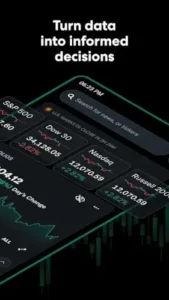

Yahoo Finance Description:
Most finance apps do one thing well: Bloomberg offers institutional grade data, CNBC delivers breaking news, and Robinhood simplifies trading. Yahoo Finance brings all these elements together without demanding a brokerage account or subscription.
The magic lies in its balance – real time market data sits alongside curated news, while portfolio tracking works equally well whether you’re managing $500 or $500,000. Where competitors force you to choose between depth and accessibility, Yahoo Finance gives you both.
Yahoo Finance Features :
Portfolio Tracking Without the Headaches
Linking your brokerage account takes 30 seconds (supports Fidelity, Schwab, and others), but manual watchlists work just as well for:
-
Real-time crypto price checks
-
Monitoring that speculative biotech stock
-
Tracking dividends across your holdings
The sync is near instant – when your tech stocks tank at market open, you’ll know before your coffee cools.
Market Data That Doesn’t Play Catch Up
During earnings season, the difference between “delayed” and “real time” data can mean hundreds of dollars. Yahoo Finance delivers:
-
Pre-market and after-hours pricing
-
Forex movements down to the pip
-
Commodity futures without refreshing
It won’t replace your Bloomberg Terminal, but for 99% of investors, it’s more than enough.
Notifications That Don’t Drive You Mad
The alert system is surprisingly nuanced:
-
Price triggers (get pinged when Tesla hits $200)
-
Volume spikes (unusual activity in small caps)
-
Earnings surprises (beat/miss notifications)
Pro tip: Set geographic filters unless you want 3 AM alerts about the Nikkei.
News Without the Noise
The editorial team actually understands finance – no “10 HOT STOCKS TO BUY NOW” clickbait. Useful filters let you:
-
Follow specific companies
-
Mute crypto if it’s not your thing
-
Save articles for weekend reading
Premium: Necessary or Nice to Have?
At $35/month, the upgrade makes sense if you:
-
Need advanced charting tools
-
Want fair value estimates
-
Trade options seriously
For everyone else, the free version covers the essentials.
Who Actually Benefits?
Active Traders
The 1 minute candlestick charts and unusual volume alerts work surprisingly well for day trading – just don’t expect ThinkorSwim levels of detail.
Long Term Investors
Dividend tracking and ESG scores help maintain a balanced portfolio. The “Major Holders” feature reveals when institutions are dumping a stock.
Casual Users
Simplified views hide the complexity. Just want to check your 401(k)? Pin it to the top and ignore the rest.
The Tradeoffs
-
Recent UI changes buried some portfolio features
-
Occasional ads masquerade as news
-
Widgets sometimes freeze after updates
Alternative: For a more technical approach, try Investing.com
Yahoo Finance vs. The Competition: Choosing the Right Financial Tool
When your money’s on the line, the wrong app can mean missed opportunities or worse – bad decisions. How Yahoo Finance stacks up against its rivals, and when it’s worth switching to something more specialized.
Yahoo Finance vs. Bloomberg: The Accessibility Tradeoff
Bloomberg Terminal is the gold standard for Wall Street professionals. But unless you’re analyzing credit default swaps, Yahoo Finance does 90% of what matters at 0% of the $24,000/year cost.
Where Bloomberg wins:
-
Deeper fixed income analytics
-
Institutional grade research reports
-
Bond trading capabilities
Where Yahoo Finance dominates for casual investors:
-
No learning curve – you’ll be productive in minutes
-
Free real time stock quotes (Bloomberg delays data for non subscribers)
-
Cleaner mobile experience
Yahoo Finance vs Bloomberg for casual investors comes down to this: Do you need to impress your fund manager colleagues, or just manage your portfolio effectively?
Yahoo Finance vs. CNBC: Data vs. Drama
CNBC’s app excels at breaking news and market commentary. But try checking your portfolio’s performance during their “Markets in Turmoil” special – good luck finding it beneath the screaming headlines.
CNBC’s strengths:
-
Live Squawk Box audio
-
Better video content
-
Faster earnings call coverage
Yahoo Finance advantages:
-
Actual portfolio management tools
-
Customizable news filters
-
Historical financial data
The verdict? Keep CNBC installed for market open/close, but use Yahoo Finance for everything else.
Yahoo Finance vs. Seeking Alpha: Surface vs. Depth
Seeking Alpha’s crowdsourced analysis can be brilliant – or borderline reckless. Their app is perfect for reading opinions, but frustrating for checking basic stock data.
Seeking Alpha excels at:
-
Dividend stock analysis
-
Earnings call transcripts
-
Contrarian investment ideas
Yahoo Finance does better with:
-
Real time price alerts
-
Quick financial snapshots
-
Crypto tracking
Pro tip: Use both – Seeking Alpha for weekend research, Yahoo Finance for daily monitoring.
When to Choose Alternatives
-
Day trading? Thinkorswim has better charts
-
Options trading? Tastyworks offers better tools
-
Fundamental analysis? Morningstar provides deeper metrics
But for checking your investments over breakfast? Yahoo Finance still reigns supreme.
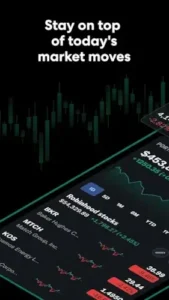
Pro Tips: Getting More From Yahoo Finance
1.Organize Watchlists Like a Pro
Most people create random watchlists. Try these instead:
-
By sector (Tech, Healthcare, Energy)
-
By strategy (Dividend Growers, Speculative Plays)
-
By timeline (Q3 Earnings Plays, 2025 Growth Picks)
This prevents your “watch later” list from becoming a 200 stock mess.
2. Mine the Discover Tab
Buried in the app’s fourth tab:
-
Unusual volume movers
-
Upcoming earnings calendars
-
Sector performance heatmaps
Check it daily – it surfaces opportunities most investors miss.
3. Force Refresh Linked Accounts
Not seeing your latest trades?
-
Go to Portfolio → Linked Accounts
-
Swipe down firmly to refresh
-
Still stuck? Unlink/relink the account
This solves 90% of syncing issues.
Conclusion :
Active Traders
The real-time data and customizable alerts make it indispensable – though serious day traders will still need a dedicated platform.
Long Term Investors
Perfect for monitoring holdings and dividends. The news filters help avoid noise that leads to impulsive decisions.
Casual Users
The free version does everything you need. Ignore the advanced features unless they become relevant.
FAQ
How to set up effective stock alerts on mobile with Yahoo Finance?
Go to any stock page → Tap the bell icon → Choose between price, volume, or news alerts. For earnings notifications, search the company name + “earnings” and enable alerts. Need help? Contact finance.support[at]yahooinc.com.
Does Yahoo Finance support cryptocurrency tracking?
Yes, BTC, ETH, and 100+ others appear alongside stocks. Add them to watchlists for real time pricing.
Can I link multiple brokerage accounts?
Supported brokers include Fidelity, Schwab, and TD Ameritrade. Link them under Portfolio → Linked Accounts.
Why are some news articles locked behind paywalls?
Yahoo partners with premium publishers. For free alternatives, filter by “Yahoo Finance Originals.”
From were i get the android app?
Download Yahoo Finance from Google Play Store or visit official Yahoo Finance website