Opera Mini, a browser built on a singular, powerful premise: delivering a full web experience while consuming a fraction of the data.
Opera Mini application holds a 4.6 star rating from over 10 million reviews on the Google Play Store, requires approximately 50 MB of storage, and is suitable for a general audience.
The Opera Mini Core Proposition: Speed and Data Efficiency
What does a browser gain by aggressively compressing data? The answer is not just smaller bills, but often a faster, more reliable connection to the digital world. Opera Mini distinguishes itself by making data frugality its primary design goal, a focus that shapes every aspect of the user experience.
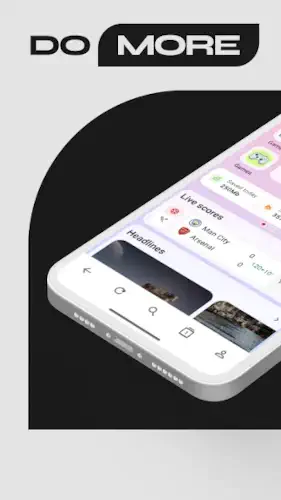
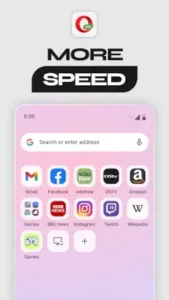
The design philosophy is unapologetically minimalist. The interface presents a clean start page with your favorite sites, a search bar, and a news feed. Icons are simple, menus are shallow, and there is very little visual clutter. This approach serves a clear purpose: does the clean UI enhance usability on slower devices? For users with older smartphones or limited technical patience, the answer is a resounding yes. The interface loads instantly and responds immediately to taps, eliminating the lag that can plague more graphically complex browsers.
However, users accustomed to the deep customization of Firefox or the feature rich environment of Samsung Internet may find the simplicity borders on being too basic, offering fewer options to tweak the layout and tools.
The data compression engine is the browser’s cornerstone feature. When you enable Data Savings mode, your web traffic is routed through Opera’s servers. These servers compress images, minify code, and strip out non essential elements before sending a leaner version of the page to your phone. The real world impact is substantial. You can realistically reduce your mobile data consumption by up to 90 percent on text and image heavy sites. This is not just a theoretical claim; it is a tangible benefit for anyone with a capped data plan. The trade off is that some modern web elements and high resolution images may not render with pixel perfect accuracy, but the core content and functionality remain entirely intact.
This compression directly influences performance on varied networks. On a slow 3G or congested 4G connection, Opera Mini frequently outperforms standard browsers. Pages load faster because less data needs to travel to your device. On a high speed Wi Fi network, the performance difference narrows, but the data savings remain active if you choose. This makes it an exceptionally versatile tool, seamlessly adapting to your changing network conditions without requiring you to switch browsers.
Opera Mini Feature Set: Beyond Compression
While data saving is its headline act, Opera Mini includes a suite of features designed to create a comprehensive, self contained browsing environment.
The ad blocker and offline reading capabilities are prime examples. The built in ad blocker is effective at removing intrusive pop ups and video ads, which further accelerates page load times and reduces distractions. Its performance is consistent, though not as aggressively configurable as dedicated blocker extensions on desktop browsers. The offline reading feature, which allows you to save a snapshot of a web page for later, is practical for situations with unpredictable connectivity, like commuting on a subway or preparing for a flight.
The Locked Mode addresses a very specific privacy concern: physical access to your phone. By securing the browser behind a PIN or fingerprint, you can prevent casual observers from opening your tabs and seeing your browsing history. This is a useful layer of local security, but it is important to understand it protects your device, not your data in transit. Your encrypted traffic still passes through Opera’s compression servers.
Specialized modes like Football Mode and Night Mode cater to specific user needs. Football Mode is a niche but well executed feature for fans, aggregating scores and news in one place. Night Mode, which applies a dark theme to the browser interface and compatible websites, is a broader comfort feature that reduces eye strain in low light. These features demonstrate a thoughtful approach to building a browser that serves both general and specific user habits.
Opera Mini User Experience: Daily Navigation and Management
A browser’s true test is how it handles the routine tasks of daily internet use.
Tab management and navigation are straightforward and fluid. Switching between tabs is fast, and the visual overview makes it easy to keep track of multiple sessions. The navigation is intuitive, with a bottom bar providing quick access to tabs, home, and the menu. The learning curve is virtually non existent.
Customization and personalization are present but within defined limits. You can tailor your news feed to reflect your interests, which helps make the start page more useful. A selection of themes allows you to change the color scheme of the browser’s interface. While you cannot radically alter the layout, the available options provide enough personal touch for most users without complicating the minimalist design.
The download manager and video player are functional and integrated. Downloads are handled reliably, and the video player provides basic controls for playback. These are not the most advanced tools on the market, but they work seamlessly within the browser, eliminating the need to jump to another app for simple tasks. This integration reinforces the browser’s goal of being a single, efficient portal to the web.
Opera Mini Critique: Balancing Efficiency and Intrusions
Every tool has its compromises, and understanding them is key to making an informed choice.
Synthesizing global user sentiment reveals a clear pattern of appreciation mixed with specific frustrations. The community overwhelmingly praises the browser’s core competency: its exceptional data saving capabilities and the resulting speed on slow networks. This is the primary reason millions install and stick with the Opera Mini browser. However, this strength is shadowed by persistent criticisms that have grown louder in recent years.
A significant number of users report encountering increased advertisements within the browser’s own interface, particularly in the news feed. Performance issues, such as occasional keyboard input lag and certain websites not displaying correctly due to the aggressive compression, are also frequently mentioned in app store reviews and forum discussions.
This leads directly to the central Ad Contradiction. How can a browser with a built in ad blocker simultaneously be criticized for serving ads? The issue lies in the distinction between on page ads and in app promotions. While the ad blocker effectively prevents intrusive pop ups and banners on the websites you visit, the browser itself may display promotional content in its own start page news feed and notification system. For a user who installed the Opera Mini app specifically for a completely ad free experience, this distinction feels like a technicality, and the presence of any ads can be perceived as a broken promise.
The privacy and security standing of Opera Mini requires a nuanced understanding. The browser includes positive features like Locked Mode for local device security and encrypted data transmission to its compression servers. However, the very nature of its data saving model is a double edged sword. To compress data, all your web traffic is routed through Opera’s servers. This means a third party, in this case Opera, processes every website you visit.
While the company states it does not store personal data, this architecture is fundamentally different from the direct, end to end encrypted connection established by browsers like Brave or Firefox Focus. For users with extreme privacy sensitivities, this server side processing is a valid concern, despite the company’s privacy policy.
Optimizing Opera Mini:
To get the best from any software, you need to configure it for your needs. For those seeking practical Opera Mini tips, these steps can significantly enhance your daily browsing.
Your essential initial setup should happen within the first five minutes of use. Immediately open the settings and navigate to ‘Data Savings’. Ensure it is set to ‘Extreme’ for maximum compression. Next, find the ‘Ad blocking’ toggle and confirm it is enabled. Then, manage your notifications; disable ‘News alerts’ and ‘Promotional messages’ to prevent the ad related intrusions many users report. Finally, activate ‘Night Mode’ if you browse in the evening. These four adjustments configure the Opera Mini browser for peak efficiency and comfort from the start.
Mastering the core features is where the browser’s value becomes apparent. The data saver is most effective for text based sites and articles. For online banking or other sensitive forms, you can long press a link to open it in a private tab, which temporarily bypasses data compression for added security. The ad blocker works automatically, but if you find a site that does not load correctly, try refreshing with ad blocking disabled for that site. The offline reading feature is perfect for saving long articles you want to read later; just tap the download icon in the address bar. Using these features strategically turns the browser from a simple tool into a powerful assistant.
Troubleshooting common issues is a straightforward process. If you experience keyboard input bugs, a simple restart of the app often resolves the problem. For persistent website loading errors, try switching your data savings mode from ‘Extreme’ to ‘High’. This applies less compression and can fix compatibility issues with complex modern websites. If a specific site consistently fails, you can add it to your ‘Exceptions’ list to always load without compression. Keeping the app updated is also critical, as each Opera Mini update typically includes bug fixes for these known issues.
Conclusion :
So, who is the Opera Mini app truly for? The answer points toward a specific, needs based user rather than a one size fits all solution.
Opera Mini represents the perfect browsing solution for the user with a limited or expensive mobile data plan, someone who frequently browses on slow or unstable networks, or an individual with an older, less powerful Android device. Its unparalleled data compression and lightweight design deliver tangible benefits that directly address these pain points. If your primary concerns are lowering your data costs and ensuring basic web access is fast and reliable, this browser is exceptionally difficult to beat.
However, its limitations may be a dealbreaker for the user who prioritizes absolute privacy, a completely ad free interface, or perfect rendering of every modern web element. If you are bothered by any promotional content within your browser, if you are uncomfortable with your traffic being routed through a third party’s servers, or if you regularly use complex web applications that require full functionality, you will likely find Opera Mini’s compromises too significant. In these cases, a more privacy focused or fully featured browser would better serve as your daily driver.
In the current mobile browser landscape, Opera Mini successfully defends its niche as the premier choice for data conscious and efficiency focused browsing. It delivers brilliantly on its core promise but makes clear trade offs to do so. Your decision to use it hinges on a simple question: do you value radical data savings and speed on slow networks more than you value absolute privacy and a pristine, ad free interface? For millions, the answer is yes.
Frequently Asked Questions
How much data can Opera Mini actually save?
With its Extreme data savings mode enabled, Opera Mini can reduce your mobile data consumption by up to 90% on text and image heavy websites. The savings are less significant for video content.
Where is the official Opera Mini download available?
You can download Opera Mini browser from the Google Play Store. For technical support, you can contact Opera’s development team directly at opera-mini[at]support.opera.com.
Is there a community for advanced tips and settings?
Yes, the Opera Mini Wiki offers user created guides on hidden features, advanced settings configurations, and solutions for common performance issues.
Can I use Opera Mini for secure activities like online banking?
While the browser uses encryption, its data compression routes your traffic through Opera’s servers. For highly sensitive activities, using a private tab or a browser with end to end encryption is often recommended.
How does the ad blocker work within the browser?
The built in ad blocker prevents intrusive ads from loading on the websites you visit, which speeds up page loading. It does not block promotional content within Opera Mini’s own news feed.