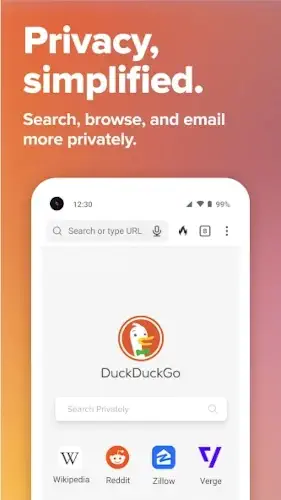
DuckDuckGo is a comprehensive privacy solution that begins with its famous non tracking search engine and extends into a full browser and app ecosystem, all designed with one goal: to block tracking by default.
DuckDuckGo Private Browser holds a 4.8 star rating from over 1 million user reviews on the Google Play Store. With a lean download size of approximately 40MB, it is designed for a wide age range, from students to professionals, anyone who has felt uneasy about the amount of personal data collected online.
Philosophy of DuckDuckGo
The driving force behind DuckDuckGo is a concept called “privacy by design.” The company’s mission is to simplify online privacy, making it an automatic feature rather than a complex setting you have to find and activate. This principle influences every tool they build.
This all starts with the DuckDuckGo search engine, which is integrated directly into the browser. Unlike other search engines, it does not create a filter bubble based on your past behavior; your search results are the same as anyone else’s. This philosophy then expands beyond the browser with features like App Tracking Protection in DuckDuckGo, which acts like a local VPN to block known trackers within other apps on your phone, addressing data collection at a system level.
DuckDuckGo Privacy Arsenal
What does this privacy first approach look like in action? The most fundamental tool is the automatic tracker blocker. As you browse, it works in the background to prevent third party tracking scripts from loading. For each site you visit, a privacy grade icon shows you how well protected you are.
One of the most distinctive features is the Fire Button. Tapping it instantly erases your tabs and browsing data, like a digital etch a sketch. For managing your identity, DuckDuckGo Email Protection allows you to generate unique @duck.com aliases for signing up to services, shielding your real email address and stripping trackers from incoming emails.
The suite includes specialized tools like the DuckDuckGo Duck Player, a dedicated window for watching YouTube videos with enhanced privacy by blocking ads and cookies. For modern needs, DuckDuckGo AI chat (Duck.ai) provides a way to query AI models without the conversation being used to train them or linked back to your identity.
DuckDuckGo User Experience
The application interface is minimalist and clean. The design prioritizes your content, removing clutter and distraction. In daily use, the browser is fast, and the primary benefit is the simplicity of having robust privacy protections working automatically from the moment you open it.
This aggressive blocking can sometimes create friction. The most common trade off users note is website compatibility. Some sites may not load correctly, displaying a white screen, because their functionality depends on the very trackers and scripts that DuckDuckGo is designed to block.
The primary considerations often involve navigating the occasional website breakage caused by its strict blocking. Some users also report that certain features, like the Duck Player, can sometimes be unstable with playlists or may not block all video ads in every scenario.
For those exploring other options, a similar privacy focused browser is Brave Browser, which also offers strong built-in ad and tracker blocking. However, DuckDuckGo’s integrated ecosystem approach, combining search, browsing, email, and app protection into a single, easy to understand package, gives it a distinct position for users seeking a simplified, all in one privacy solution.
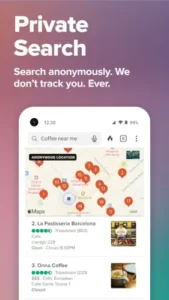
DuckDuckGo Tips
Getting started with the DuckDuckGo app is straightforward, but a few habits can optimize your experience. Upon installation, the browser is ready to use immediately with its core protections active. Pay attention to the privacy grade icon that appears next to the address bar for each site you visit; it provides an immediate visual assessment of that site’s tracking attempts and how well the browser is blocking them.
To maximize the privacy toolkit, make a habit of using DuckDuckGo Email Protection whenever you sign up for a new service or newsletter. The app makes it simple to generate a unique @duck.com alias, which forwards to your main inbox while preventing the sender from seeing your actual email address or embedding tracking pixels. The Fire Button is your best friend for closing a sensitive browsing session.
Think of it as a digital shredder; use it after looking up medical information, checking your bank account on a public network, or any time you want to ensure no local trace of your activity remains.
When you encounter a website that does not load properly, often appearing as a white screen, you have a practical solution. Tap the shield icon next to the address bar to temporarily lower the protection level for that specific site. This often resolves the compatibility issue while keeping strong protection enabled everywhere else. These DuckDuckGo tips help balance maximum privacy with practical daily use.
DuckDuckGo Similar Apps
How does this browser compare to other privacy focused options? A neutral look at the ecosystem helps clarify its role. Firefox is a powerful, customizable browser that supports extensive privacy extensions, appealing to users who want to fine tune their experience. Brave offers robust built in ad blocking and a unique attention based rewards system for users who view privacy preserving ads. Tor Browser is designed for maximum anonymity, routing your traffic through multiple layers of encryption to conceal your location and usage from network surveillance.
The category of DuckDuckGo similar apps often involves more complex configuration or a narrower focus. DuckDuckGo’s distinct position is as an all in one, easy to use privacy suite. It integrates search, browsing, email protection, and even app tracking defense into a single package that works effectively out of the box with almost no configuration required from the user.
Conclusion :
The DuckDuckGo app functions as a streamlined, principled tool that makes robust digital privacy accessible to everyone. It demystifies online protection, transforming it from a technical challenge into a simple, default state of being.
For the individual who wants the strongest possible privacy protections activated automatically, without the need to manage complex settings or install multiple browser extensions, DuckDuckGo is an ideal choice. It represents a significant step toward a more private internet, proving that powerful security does not have to come at the cost of simplicity and ease of use.
Frequently Asked Questions
How does DuckDuckGo make money if it’s free and doesn’t sell data?
The company generates revenue through private ads on its search engine results pages. These ads are based on your search query at that moment, not on your personal search history or a profile built about you over time. They also offer a paid subscription for additional features like a VPN.
How do I perform a DuckDuckGo download and is it really free?
You can get the DuckDuckGo Private Browser for free from the official Google Play Store. The core features, including tracker blocking, private search, and email protection, are completely free to use. For more information, visit the official DuckDuckGo website.
What is the main difference between the DuckDuckGo search engine and the browser?
The search engine is the core service that provides private web searches, which you can use in any browser. The DuckDuckGo app is a full mobile browser that builds upon this by adding automatic tracker blocking, the Fire Button, email protection, and other tools to make your entire browsing session private.
Can I set DuckDuckGo as my default search engine in other browsers?
Yes, in most major browsers like Firefox, Chrome, and Safari, you can change your settings to make DuckDuckGo your default search engine. This allows you to use its private search from the address bar without using the dedicated DuckDuckGo browser.
Where can I learn more about the company or get technical support?
For a detailed history of the company and its philosophy, you can read the Wikipedia page for DuckDuckGo. For direct support with the application, you can contact their team at android[at]duckduckgo.com.