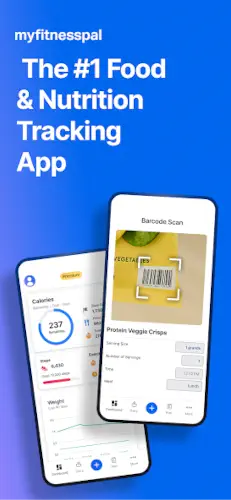
MyFitnessPal is the most recognized nutrition tracker in the U.S., featured by the New York Times, Forbes or the Today Show and it has earned that spot for one specific reason: the food database.
MyFitnessPal by MyFitnessPal, Inc. has crossed 100 million downloads on Google Play, holding a 4.5 star rating from nearly 3 million reviews. The app sits at roughly 70 MB to 90 MB depending on your device and region, and it carries a Teen age rating because it handles personal nutrition and health data.
If you searched for “what is MyFitnessPal app” expecting a simple calorie counter, the reality is bigger. It combines calorie counting, macro tracking and fitness logging inside one platform, backed by a database of 20.5 million food items including restaurant dishes. It is not built for passive tracking. It is built for people who log meals consistently and want to see how those choices stack up across days, weeks, and months.
That distinction matters more than most people admit. Step trackers reward you for existing. MyFitnessPal rewards you for paying attention.
The free version gives you the core logging engine with ads. MyFitnessPal Premium removes the ads, unlocks barcode scanning and meal scanning, adds custom macro targets and brings in Net Carbs Mode for anyone following keto or low carb plans. Premium Plus goes further with personalized meal plans and grocery delivery integration. Whether the upgrade is worth it depends on how you eat and how often you log.
If you are comparing nutrition apps and want to see how a fully free tracker stacks up against MyFitnessPal’s paid model, this Samsung Health breakdown covers the free side of the conversation.
How MyFitnessPal Works
The Food Logging Engine
This is the heart of the app, and it is where MyFitnessPal still leads the market. A database of 20.5 million items covers grocery staples, restaurant dishes and branded products with calories, macros, sodium and fiber already attached. You can search by name, scan a barcode, or use voice logging on Premium to add meals in seconds. If you have been wondering about “MyFitnessPal food database accuracy,” the short answer is that most entries are accurate because they come from verified sources, but user-submitted entries can vary, so check unusual items before trusting them.
The Macro and Goal System
Set a goal for weight loss, weight gain, maintenance or athletic performance, and the app calculates personalized calorie and macro targets to match. The dashboard updates in real time as you log, so you always know where you stand. Water tracking and intermittent fasting windows sit in the same ecosystem, which means you do not need three separate apps to cover hydration, fasting, and food. That integration is why “MyFitnessPal macro tracking” is one of the most searched phrases around the app.
Free vs Premium vs Premium Plus
The free tier handles core food and fitness logging with ads. MyFitnessPal Premium unlocks barcode scanning, meal scan, voice logging, ad-free experience, custom macro targets and Net Carbs Mode. Premium Plus adds personalized meal plans, integrated grocery delivery and access to 1,500+ healthy recipes tailored to your goals. If you have been asking “is MyFitnessPal free,” the answer is yes, but the features most people want sit behind a subscription. That is the honest tradeoff.
MyFitnessPal Core Features
Nutrition and Calorie Tracking
The 20.5 million item database is the reason most people download the app in the first place. Custom targets for calories, macros, sodium and fiber let you tailor the experience to your goals. The meal planner and saved recipes make repeat logging fast, which matters because consistency is where nutrition tracking succeeds or fails.
Fitness and Wearable Integration
Workout and step logging adjust your daily calorie goal in real time, so a hard training session earns you more room in your day. Wear OS support brings tiles and complications to your wrist, reducing how often you need to pull out your phone. The app connects to 40+ fitness trackers, which means your Fitbit, Garmin, or Galaxy Watch data flows into the same place your food logs live.
AI Coach and GLP-1 Tracking
The AI Coach reads your logging history and surfaces nutrition insights tailored to your habits. The GLP-1 tracking feature is newer and specifically useful for anyone on GLP-1 medications, offering symptom logging and custom reminders for medication schedules. If you have been searching for “MyFitnessPal AI coach,” this is where the app stops being a simple log and starts offering guidance.
Water and Fasting Tools
Hydration tracking and intermittent fasting windows sit alongside your food log, giving you a complete daily picture. Net Carbs Mode on Premium makes the app usable for keto and low-carb eaters who need to track carbs minus fiber.
MyFitnessPal Design and Interface
What the App Looks Like
The visual language is modern and polished. Calories, macros and remaining daily totals sit at the top of the screen and the color coding makes it obvious at a glance whether you are on track or over budget. Dark mode follows your Android system setting, which matters for anyone logging dinner late at night or checking their diary in low light. The emphasis on quick access to stats means you can open the app, log a meal and close it in under thirty seconds, which is the difference between a habit that sticks and one that fades after two weeks.
The Density Problem
The app is dense. Genuinely dense. There are charts, progress bars, quick-add tiles, recipe cards and multiple tabs competing for screen space. New users often feel buried before they find their footing. If you have searched for “MyFitnessPal app tutorial” or “MyFitnessPal getting started,” you already know this feeling. The fix is not to use everything at once. Pick three metrics that matter to you, ignore the rest for the first month and let the app earn its complexity over time. Recent UI updates also changed diary ordering for some users, with complaints about items no longer displaying in the order they were logged. That is a real issue worth flagging, and it is one of the most discussed topics in MyFitnessPal Reddit threads and Play Store reviews.
Wearable Experience
Wear OS integration is smooth. Tiles and complications push calorie, water and macro stats to your wrist, reducing the need to pull out your phone mid workout or mid meal. If you are wearing a Galaxy Watch or a Wear OS device, logging food from your wrist takes seconds. This feature works best when paired with a consistent logging habit, because the wearable amplifies speed but cannot fix a messy diary.
What Users Say About MyFitnessPal App
The Praise
Users consistently point to the food database as the app’s biggest strength and they are right. With 20.5 million items covering restaurant dishes, branded products and grocery staples, logging a meal takes seconds instead of minutes. Comprehensive tracking in one place means fitness, water, fasting, and macros all live in the same timeline. Privacy gets consistent credit too, with the developer stating no data is shared with third parties and data encrypted in transit. The AI coach is newer and draws genuine curiosity from users who expected a gimmick and found something more useful. That combination of convenience, privacy, and AI is why the app keeps growing despite the loud complaints.
The Complaints
The ads come up often, and users describe them as intrusive, especially on the free version. Barcode scanning moved behind the Premium paywall, which frustrated users who had relied on it for years. Diary items sometimes appear out of order after recent UI changes and some users report random resets to the main screen mid logging, which is a frustrating experience when you are halfway through adding a complex meal. The cost of Premium to remove ads and unlock core features is another common complaint.
MyFitnessPal Tips
MyFitnessPal gives you the tools, but the results come down to how you use them. Anyone can log a meal. The people who actually see progress are the ones who build a system around the app instead of treating it like a diary they open once a day. If you have been searching for “MyFitnessPal tips” to make the process feel less like a chore, these five changes will do more for your results than any feature update.
Build a Repeat Meals List
Logging the same breakfast every day is not boring. It is efficient. Most people eat the same ten to fifteen meals on rotation, so build a list of your go to meals and log them in two taps. If you want the exact math behind your targets, use a reliable calculator of calories or a tdee calculator to figure out what your body actually needs, then set your daily goal around that number. MyFitnessPal will handle the rest.
Use Recipes for Home Cooking
Cooking at home is where most people lose track of portions. Save your recipes inside the app once, and every future meal logs with accurate calories and macros. No more guessing whether that pasta bowl was 400 calories or 700.
Sync a Fitness Tracker
Connecting a wearable changes the math. When you log a run on your watch, MyFitnessPal adjusts your calorie goal for the day, giving you the credit you earned. This is also where the famous MyFitnessPal Reddit threads get interesting, because users regularly share setups that pair the app with everything from Apple Watches to Garmins for cleaner data.
Use the Water and Fasting Tools Together
Hydration and intermittent fasting both affect how you feel and how much you eat. Track them in the same app instead of juggling three tools. If you have ever looked up “MyFitnessPal codes” hoping for a shortcut, here is the real one: the free version handles water and fasting just fine without a paid tier.
Check Your Weekly Trends, Not Daily Numbers
A single day tells you almost nothing. A week tells you everything. One high calorie day balanced by five steady ones is not a failure. It is a normal week. Check the weekly view and look for patterns, then adjust what you actually control.
How to Choose Your Activity Level on MyFitnessPal
Most people ruin their calorie deficit on day one by picking the wrong activity level during setup. It is the single most important setting in the app. If you work a desk job but hit the gym three times a week, you are not “Very Active.” Select “Lightly Active” or “Active” at most and let your synced fitness tracker handle the extra calories burned during those workouts. Choosing “Very Active” because you plan to start running next month will give you a calorie target that is too high to lose weight. Be brutally honest about your average daily movement. The app calculates your baseline from that number, and a smaller, accurate deficit always beats an aggressive one you cannot stick to.
Can You Connect ChatGPT to MyFitnessPal?
You cannot natively link your ChatGPT account to your MyFitnessPal diary and honestly, that is probably a good thing for your privacy. However, tech savvy users are doing it manually through data exports. If you download your weekly or monthly diary as a CSV file, you can upload that raw data to ChatGPT and ask it to spot patterns. You can ask it to analyze which days you binge, what macros you consistently miss, or to build a meal plan based on your actual eating habits. It is a clever workaround for advanced users, but for day to day logging, the built-in AI coach already handles the heavy lifting without exposing your personal health data to another platform.
MyFitnessPal Barcode Scanner
The barcode scanner is the app’s most powerful speed tool and it is locked behind the Premium paywall. Scanning a package gets you exact macros and calories in two seconds, eliminating the guesswork of searching for a specific brand. If you eat a lot of packaged foods, this feature alone justifies the subscription cost. If you refuse to pay, you have to rely on manual search, which often pulls up user submitted entries that might be completely wrong. The scanner removes human error from the equation.
MyFitnessPal for Gym Beginners
Starting at the gym is overwhelming, and adding a nutrition app on top of it feels like a second job. Here is the secret: you do not need to track every single spice or gram of spinach. For your first month, focus only on hitting your protein target and staying within 100 calories of your daily goal. Use the app to learn portion sizes, not to achieve mathematical perfection. The macro breakdown will teach you what 40 grams of protein actually looks like on a plate, which is a skill you will keep for life. Once the gym habit is locked in, then you can start weighing your food and logging meticulously.
How Much Data Does MyFitnessPal Use?
If you are logging on the go, you will be happy to know the app is incredibly light on data. Because the massive food database is cached locally on your phone after you use it, logging a repeat meal uses almost zero data. Streaming ads on the free version will consume more of your plan than the actual logging. If you are worried about your data cap, open the app and sync while on Wi-Fi in the morning, and you will rarely touch your cellular data during the day. The wearable sync uses tiny amounts of background data, barely a blip on your monthly bill.
Common MyFitnessPal Mistakes That Sabotage Your Results
The biggest mistake is not logging the “little things.” Cooking oils, coffee creamer, a handful of almonds, and the three bites of your kid’s mac and cheese. Those small omissions add up to hundreds of hidden calories a day, completely erasing your deficit. The second mistake is trusting the calorie burn from cardio machines. They wildly overestimate how much you burned and eating back those calories stalls progress. The third mistake is weighing yourself daily and panicking. The scale fluctuates with water and sodium. Look at the weekly trends, trust the math, and give the process time to work.

MyFitnessPal Similar Apps
MyFitnessPal vs Lose It!
Lose It focuses on simplicity and a cleaner interface. MyFitnessPal has the larger database and deeper macro tools. If you want something fast and friendly, Lose It works. If you want to track macros with precision, MyFitnessPal is the stronger tool.
MyFitnessPal vs Samsung Health
Samsung Health is fully free, has no ads and integrates deeply with Galaxy Watch. MyFitnessPal is nutrition first with a paid tier for advanced logging. If you own a Galaxy Watch and want a free tracker, Samsung Health is the obvious call. If food and macros are your focus, MyFitnessPal delivers more.
MyFitnessPal vs Google Fit
Google Fit is a simple activity tracker with no real nutrition focus. MyFitnessPal is built entirely around food and macros. These apps barely compete and honestly, they pair well together if you want both.
MyFitnessPal vs Strava
Strava is social fitness for runners and cyclists who love segments and leaderboards. MyFitnessPal covers nutrition and calorie balance across all activity types. If you chase personal records, Strava wins. If you want to understand what you eat, MyFitnessPal wins.
Conclusion
Who MyFitnessPal Is For
Dedicated food loggers, macro trackers, and anyone who wants the largest food database on Android. If you are willing to log consistently and pay for Premium when you need it, the app delivers.
MyFitnessPal is a powerful nutrition tool with real friction points. The 4.4 star rating captures both sides, and the free version is still one of the strongest nutrition tools on Android.
Here is the question worth sitting with. If the food database is massive but logging still feels like work, what does that say about how you eat? The app is not the problem. It is a mirror. The people who stick with it are the ones ready to look.
FAQ
Where do I find the MyFitnessPal download and who do I contact if something breaks?
You can get the MyFitnessPal download straight from the Google Play Store. The official company background and product details live at myfitnesspal.com, and the broader corporate history is on Wikipedia at en.wikipedia.org/wiki/MyFitnessPal. If you hit a bug, a syncing issue, or an account problem, the developer support email is androidfeedback@myfitnesspal.com. That is the direct line to the team. Use it.
Why did MyFitnessPal put barcode scanning behind a paywall?
The app is free to use, but the developer made a business decision to move premium features like barcode scanning, meal scanning and voice logging into the Premium tier. It is frustrating if you remember the old days when it was free, but the reality is that maintaining a 20.5 million item database costs money. If you log food daily and need the speed, the subscription pays for itself. If you only log occasionally, manual search still works fine.
How accurate is the food database and can I trust user submitted entries?
The database is massive, but it is community driven. Verified entries for branded products, grocery staples and major restaurant chains are highly accurate. The problem shows up when you pick a random user submitted entry for a homemade dish, because portion sizes and ingredients vary wildly. The best habit is to check the green checkmark for verified items, compare macros against the package label, and never trust an unusual entry without a second look.
Can I use MyFitnessPal without a fitness tracker or smartwatch?
Yes, absolutely. All nutrition and calorie tracking works perfectly on your phone alone. The wearable integration is a bonus, not a requirement. Connecting a tracker adjusts your daily calorie goals based on your movement, giving you more room to eat on active days. But if you are just starting and you only want to track food, the app works exactly as intended without a watch on your wrist.
Why do my diary entries look out of order?
This is a known issue reported by users after recent interface updates. It does not affect your total calories or macro math, but it makes reviewing your day frustrating when breakfast shows up below dinner. The developer has been addressing these bugs in updates, so make sure your app is set to update automatically. If it persists, a quick uninstall and reinstall usually cleans up the local cache and restores the proper order.