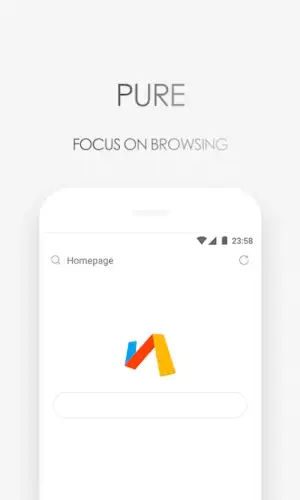
Via Browser is the deliberate counterpoint. It is a minimalist alternative engineered with a singular focus: raw speed, low resource use, and essential customization, prioritizing efficiency above all else.
Via Browser app holds an impressive 4.3 star rating from over 1 million user reviews on the Google Play Store. With a remarkably small download size of less than 1MB, it is specifically designed for a broad age range, including users with older Android devices who have felt left behind by heavier software.
Identity of Via Browser’s Lightness
The foundation of the Via Browser experience is its technical leanness. Its APK file is tiny, and its memory footprint while running is minimal. This is not an accident; it is the core design principle. By stripping away non essential code and background processes, the browser dedicates its resources to one primary task: loading web pages as fast as possible.
This translates directly to user experience. The speed of Via Browser is often described as near-instantaneous, especially on devices where mainstream browsers stutter or lag. A significant part of this speed comes from what the browser deliberately excludes. You will not find integrated news feeds, telemetry for data collection, or bulky sync services. This “less is more” philosophy is what makes it a lightweight browser for Android that feels responsive on hardware others have written off.
Via Browser Features: Functionality Without the Fat
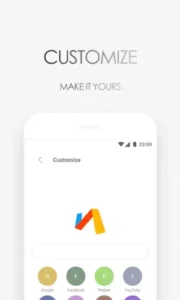
Despite its minimalism, Via Browser includes thoughtfully chosen tools for practical use. A built-in ad blocker protects your privacy and saves data by preventing intrusive ads from loading. For personalization, the Via Browser customization options allow you to design a custom homepage with your most-used sites and switch between different search engines directly from the address bar.
It also provides practical utilities for daily browsing: a reading mode to strip away clutter from articles, a page translation feature, a find-in-page tool, and basic password autofill. For visual comfort, it offers a night mode, support for custom fonts, and a computer mode to request desktop versions of websites. These are features chosen for utility, not bloat.
Via Browser User Reviews
The interface is the embodiment of minimalist design. It is clean, distraction-free, and uses simple gestures for tab management. The focus is entirely on the webpage content. This design, combined with its efficient code, has a transformative effect. User reports consistently highlight how Via Browser on old Android devices can revive a sluggish phone or tablet, making web browsing feel fast and fluid again.
This focus comes with understood trade offs. The browser does not offer native synchronization with services like Google Bookmarks or Bitwarden, requiring manual import for bookmark management. Some users also report occasional minor UI quirks, such as unpredictable keyboard behavior on the homepage or sporadic issues with biometric authentication, which are typical of a lean, independently developed application.
Via Browser Insights
The consensus among its dedicated user base is remarkably clear. The most praised strength is its exceptional speed and ability to breathe new life into old, slow devices. The effectiveness of its simple ad blocker is also highly valued. For users who appreciate a minimalist browser interface, the level of control over the homepage and the absence of unwanted features are significant positives.
The primary considerations are practical. Users acknowledge that managing bookmarks across devices requires a manual process. Some also note the occasional minor bug, like the keyboard glitch, though these are often seen as a small price to pay for the dramatic performance gains on constrained hardware.
For those exploring similar lightweight options, a comparable browser focused on data saving is Opera Mini. However, Via Browser distinguishes itself with an even smaller footprint and a purist philosophy geared more towards raw speed and revival of underpowered devices than just data compression.
Browser Tips
To get the most from the Via Browser app, start with its setup. Since it does not automatically sync with cloud services, one of the first Via Browser tips is to import your bookmarks manually. You can usually do this by exporting a bookmarks HTML file from your desktop browser and importing it via the Via Browser settings. Next, design your custom homepage. Place shortcuts to your most frequented sites here; this turns the homepage into a personal launchpad that saves time and taps.
For maximizing performance on any device, especially older ones, enable the data saving and night mode features. Data saving helps compress pages, while night mode reduces screen power draw on OLED displays and is easier on the eyes. A critical habit for maintaining the fast Via Browser experience on constrained devices is to regularly clear the browser cache from the settings. This prevents accumulated temporary files from slowing down the very performance you installed it to achieve.
If you encounter minor quirks, like the keyboard behaving unexpectedly on the homepage search bar, a simple workaround is to tap the search bar a second time or briefly switch to another app and return. For most small glitches, a quick restart of the Via Browser browser itself often resolves the issue.
Via Browser Similar Apps
How does this browser compare to others in the minimalist space? A neutral look clarifies its specialization. Opera Mini is a lightweight browser with a strong focus on data compression and a built-in VPN for privacy. Mi Browser is optimized for Xiaomi devices but includes more integrated services. Other alternatives like Stargon or Pure Browser also pursue minimalism.
The category of Via Browser similar apps often includes tools that are “light” but may still add specific features like VPNs or news aggregators. Via Browser’s unique position is that of a specialist tool engineered almost exclusively for one purpose: reviving performance on underpowered or aging hardware through extreme software leanness. It is the most stripped-back option, making it the fastest for devices where every megabyte of RAM and every CPU cycle counts.
Conclusion :
The Via Browser app serves a specific and valuable role as a specialist tool. It solves a clear problem: making web browsing fast, responsive, and bearable on devices that struggle or fail with mainstream, feature heavy browsers.
For the user with an older Android phone who has grown tired of constant lag, for the enthusiast who prioritizes speed and system resource conservation above all else, or for anyone who simply prefers a browsing experience stripped back to its purest, most essential form, Via Browser is a perfect choice. It is a powerful reminder that sometimes, the most effective tool is the one that does the least, but does it exceptionally well.
Frequently Asked Questions
What makes Via Browser different from Chrome or Firefox?
Via Browser is designed to be extremely lightweight and fast, with a focus on using minimal system resources. It lacks many built-in features like news feeds or complex sync services, which allows it to run quickly on older or less powerful Android devices where larger browsers might struggle.
How do I perform a Via Browser download and is it safe?
You can get the Via Browser app from the official Google Play Store. It is a safe, open-source project. The tiny file size means it installs in seconds. For more technical information, you can visit the official Via Browser GitHub page.
Can I block ads with Via Browser?
Yes, it includes a built-in ad blocker that you can enable in the settings. This helps pages load faster, saves mobile data, and reduces distractions by preventing many ads from appearing.
Does Via Browser sync my bookmarks and passwords with my computer?
The browser does not have a built-in cloud sync service for bookmarks or passwords. You can manually import and export bookmarks using HTML files. For password management, you would typically rely on your device’s autofill system or a separate password manager app.
Where can I learn more about the developer or report an issue?
As an open source project, you can find technical documentation and source code on its GitHub repository. To contact the developer, Tu Yafeng, for support, you can use the email address yafengtu[at]gmail.com.