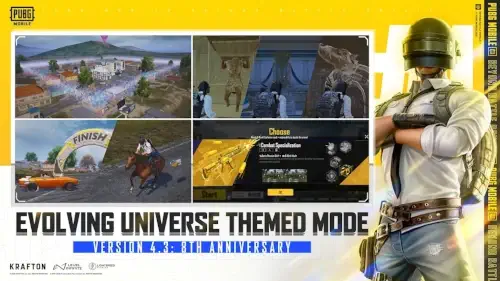
PUBG MOBILE drops you onto a massive island with 99 other players. No second chances. No respawns in Classic mode. Just you, your squad and the growing tension of a shrinking safe zone.
PUBG MOBILE makes most mobile shooters feel small after you experience that scale. They hand you small maps and short rounds. You fight, you die, you respawn. The stakes never rise above zero.
Here, every decision carries weight. Loot the wrong building and someone is already watching from a window. Fire too early and half the map knows your position. Wait too long and the zone burns you alive.
So what keeps 50 million people coming back match after match?
What Is PUBG MOBILE?
A battle royale. That is the shortest answer. But let us be precise.
You drop from a plane onto one of several large maps. Erangel. Miramar. Sanhok. Livik. Each has towns, bridges, hills and hiding spots. You land with nothing. Then you run into buildings searching for weapons, armor, backpacks, healing items and attachments.
The goal is simple: be the last person or team standing.
You can play solo, duo, or squad with three other people. Communication matters. A silent squad usually loses to a talking one. The publisher, Level Infinite, keeps the game updated with new seasons, events and modes.
The Google Play listing describes it honestly: survival focused multiplayer with Classic Mode, Payload, 4v4 Arena battles and Infection Mode. No false promises. Just a polished shooter that has been refined for years.
What makes it different from the competition? The tension never fakes itself. You actually feel nervous in the final circle. Your hands sweat. You hold your breath when you hear footsteps nearby. That feeling does not get old.
PUBG Mobile for Beginners: Where to Start
Novice players should prioritize familiarizing themselves with the game’s fundamental mechanics before engaging in competitive matches. The initial focus should be on mastering the control layout, understanding the recoil patterns of various weapons and learning the topography of the primary maps. Utilizing the training grounds is essential for honing aim and testing different attachments. Beginners should also experiment with different playstyles, such as aggressive rushing or passive survival, to determine which approach best suits their temperament.
How to Join a Professional PUBG Mobile Team
Transitioning from a casual player to a professional esports athlete requires more than just high in-game statistics. Professional teams scout for players who demonstrate exceptional tactical awareness, consistent performance in high tier ranked matches and the ability to communicate effectively under pressure. Aspiring players should focus on climbing the leaderboards, participating in open tournaments and networking within the competitive community. Building a visible presence on streaming platforms and submitting highlight reels to established organizations are viable methods to attract the attention of team managers.
PUBG MOBILE Modes That Keep It Fresh
One mode would get boring. PUBG MOBILE gives you several.
-
Classic Mode: Full 100 player battle royale on large maps. The real test of patience and aim.
-
Payload: Heavy weapons, rocket launchers and helicopters. Chaos in the best way.
-
4v4 Arena: Small map, fast respawns, instant action. No looting. Just shooting.
-
Infection Mode: Humans versus infected. One team turns the other. Different rules. Different pressure.
-
Arcade: Shorter matches with random rules like shotguns only or pistols only.
Each mode changes how you play. Classic demands strategy. Arena demands reflexes. Payload demands you watch the sky for helicopters. Trying them all keeps the game from feeling repetitive.
FPP vs TPP in PUBG Mobile: Which Mode Should You Play?
The choice between First-Person Perspective and Third Person Perspective significantly alters the gameplay experience. Third Person Perspective allows players to survey their surroundings without exposing their character model, leading to a more defensive and information driven playstyle. First-Person Perspective restricts visibility to the character’s direct line of sight, demanding quicker reflexes and a more aggressive approach. Competitive esports are predominantly played in FPP, while the casual player base heavily favors TPP.
How to Improve Your PUBG Mobile Skills Fast
Rapid improvement necessitates a structured approach to practice. Players should isolate specific skills, such as recoil control or vehicle handling and dedicate time to mastering them in the training grounds. Reviewing recorded gameplay is an effective method for identifying tactical errors and improving decision making. Furthermore, engaging in scrimmages with coordinated teams provides a more realistic environment for honing competitive skills compared to random matchmaking.
Best PUBG Mobile Settings for Better Performance
Optimizing graphical settings is crucial for maintaining a stable frame rate and minimizing input lag. Players should prioritize frame rate over visual fidelity by selecting the “Smooth” graphics setting and the highest available frame rate option. Disabling anti aliasing and shadows can significantly improve performance on lower end devices. Additionally, adjusting the control layout to ensure essential buttons are within comfortable reach is vital for executing complex maneuvers during high stress encounters.
Best Sensitivity Settings for PUBG Mobile
There is no universal sensitivity setting that guarantees success; the optimal configuration is highly subjective and depends on the player’s device and physical dexterity. Players must calibrate their sensitivity to allow for accurate tracking of moving targets and the ability to perform a rapid 180 degree turn. It is advisable to start with a moderate baseline and adjust incrementally until the controls feel intuitive. Regular refinement of these settings is necessary as a player’s mechanical skill evolves.
How to Land and Loot Efficiently in PUBG Mobile
Efficient looting is a critical skill that dictates the pace of the early game. Players should prioritize landing in areas with high loot density but minimal initial contestation to secure essential equipment quickly. Understanding the loot distribution and utilizing the auto-pickup feature can significantly reduce the time spent in the looting phase. It is imperative to maintain situational awareness during this process, as the sound of looting can attract nearby opponents.
Best Drop Locations in PUBG Mobile Maps
The optimal drop location is contingent upon the flight path and the player’s preferred playstyle. Hot drops, such as Pochinki on Erangel or Pecado on Miramar, offer high tier loot but are fraught with immediate danger. Conversely, isolated locations provide a safer looting experience but require extensive rotations to reach the safe zone. Players must assess the trajectory of the plane and the distribution of other players to make informed decisions.
How to Reduce Lag and Ping in PUBG Mobile
Network latency can severely degrade the gameplay experience. Players should ensure they are connected to a stable Wi-Fi network or have a strong cellular signal. Closing background applications that consume bandwidth can also improve connectivity. Utilizing a reputable gaming VPN may assist in routing traffic to a closer server, though this is not a guaranteed solution and can sometimes increase latency.
How to Get Better Aim in PUBG Mobile
Improving aim requires consistent practice and the optimization of sensitivity settings. Players should focus on mastering the different firing modes, such as tap firing for long range engagements and spray control for close quarters combat. Utilizing the training grounds to practice tracking moving targets and engaging in mock battles with friends can accelerate the development of muscle memory.
PUBG MOBILE Graphics Balance Performance and Looks
PUBG MOBILE does not look like a cartoon. It leans into a grounded military shooter style. Weapons look like weapons. Maps have dirt, grass, concrete and rust. No bright colors screaming for attention.
The graphics settings give you control. Smooth, Balanced, HD and HDR. Each changes texture detail, shadows and lighting.
Here is the smart move: lower settings often help you win. Smooth graphics reduce frame drops and make enemies stand out against simpler backgrounds. Competitive players know this. They trade prettiness for performance.
Older phones run the game at lower settings without crashing. Newer phones can push HDR graphics and high frame rates. The game adapts to what you have.
Do you want atmosphere or advantage? The choice is yours every match.
PUBG MOBILE Users Reviews:
The positive feedback is consistent. Players praise the matchmaking speed. You rarely wait more than a few seconds for a full lobby. The shooting mechanics get mentioned constantly. Recoil control, bullet drop and weapon feel reward practice. Content updates arrive like clockwork each season. New skins, new weapons, new events. The game never sits still.
The criticisms are also fair. Older devices struggle. Frame drops happen when too many players cluster in one town. The monetization pressure is real. Skins and battle passes tempt you constantly. Cheating appears in some matches, though reports get addressed.
Even with those problems, players still call PUBG MOBILE the benchmark. Other mobile battle royales get compared to it. Not the other way around.

PUBG MOBILE Game Mechanics : How a Match Works
A full round of PUBG MOBILE game follows a pattern you can learn in ten minutes but spend years improving.
Step one: land anywhere on the map
You jump from the plane. Where you land changes everything. Hot zones like Pochinki or Bootcamp give fast fights and good loot but high risk. Remote houses give safety but weaker gear. Your call.
Step two: loot weapons, armor, heals and attachments
Run into buildings. Open doors. Pick up everything useful. A weapon without ammo is a paperweight. Armor reduces damage. Heals keep you alive outside the zone. Attachments reduce recoil and improve scopes.
Step three: watch the safe zone shrink
A white circle appears on the map. Stay inside it. The blue zone outside deals damage over time. The circle shrinks in stages. Each stage hurts more than the last.
Step four: decide when to fight and when to hide
This separates winners from everyone else. Fighting every person you see gets you killed. Hiding the whole match leaves you weak in the final fight. The skill is knowing when to pull the trigger and when to stay quiet.
Step five: last player or squad standing wins
One winner. 99 losers. That is the deal.
How other modes change the pace
Arena mode skips looting entirely. You pick a weapon loadout before the match starts and fight on a small map. Respawns are instant. The focus is pure aiming.
Payload mode adds vehicles with mounted guns, rocket launchers and helicopters. Looting still matters, but the chaos level goes up significantly.
Arcade mode shortens everything. Smaller circles. Fewer players. Faster matches for when you only have fifteen minutes.
Looking for PUBG MOBILE similar games? Call of Duty: Mobile and New State Mobile follow the same structure but with different pacing.
PUBG MOBILE tips : Small Changes That Win Matches
These are not secrets. They are habits that good players repeat and average players ignore.
-
Pick one landing spot and learn it perfectly. Know every building, every loot spawn, every escape route. Familiarity beats luck.
-
Lower graphics for smoother aim on weak devices. Frames per second matter more than shadows. Competitive players choose performance over prettiness.
-
Tap fire. Do not hold the trigger. Full auto sprays bullets everywhere. Tapping fires short bursts that actually hit the target.
-
Rotate early. The zone kills more players than enemies. Watch the timer. Move before the crowd moves. Getting caught outside the zone is embarrassing and avoidable.
-
Use a microphone in squads. Ping systems help, but voice communication wins fights. Call out enemy positions. Coordinate pushes. Your teammates cannot read your mind.
-
Warm up in Arena before Classic matches. Arena mode gives you constant fighting without the fifteen minute looting phase. Ten minutes there sharpens your aim for the real match.
-
Try every mode once. You might like the shorter ones more. Not everyone enjoys forty minute matches. Arcade and Arena deliver the same shooting satisfaction in half the time.
For active PUBG MOBILE codes, check the game’s official social channels each month. New codes drop with seasonal updates and events. Redeem them for skins and currency before they expire.
PUBG MOBILE Similar Games:
| Game | Main Similarity |
|---|---|
| Call of Duty: Mobile | Competitive mobile shooting with multiple multiplayer modes. |
| Free Fire | Battle royale on mobile with fast matches and wide accessibility. |
| New State Mobile | Modern mobile battle royale with tactical combat. |
| Rules of Survival | Large scale survival shooter with looting and last player standing gameplay. |
| Arena Breakout | Tactical shooter with looting, survival and realistic combat pressure. |
Each game puts its own spin on the formula. Call of Duty: Mobile feels faster. Free Fire runs on almost any phone. New State Mobile adds future tech gadgets. Try two or three and see which rhythm fits you.
Why 100 Million Players Stay
The size of the community means you never wait for a match. Day or night. Weekday or weekend. The lobby fills in seconds. That matters more than people admit. A dead game with great mechanics is still a dead game.
PUBG MOBILE game stays alive because the social features actually work. Link your Facebook account and find real friends instantly. No complicated friend codes. No separate app. Seasonal events drop new rewards every few weeks. Esports tournaments give something to watch and learn from.
The Ptopia Design Project lets players submit ideas for skins and content. Some of those ideas end up in the game. That feedback loop keeps people invested beyond just winning matches.
You are not just playing against strangers. You are part of a crowd that spans countries, languages and skill levels. That weight makes every win feel bigger and every loss less lonely.
How to Stream PUBG Mobile and Build an Audience
Building a successful streaming channel requires a combination of technical proficiency and engaging personality. Aspiring streamers should invest in a stable internet connection, a capable device and a decent microphone. Consistency in broadcasting schedules is vital for retaining viewers. Engaging with the audience through chat and providing insightful commentary on tactical decisions can differentiate a streamer in a saturated market.
Conclusion:
You will lose more matches than you win. That is the math of a 100 player game. But each loss teaches something. A bad landing spot. A late rotation. A fight you should have avoided.
The question is not whether you can win every time. The question is whether you can enjoy the chase even when you lose.
Most people cannot. The ones who stay learn to love the tension more than the trophy.
Which one are you?
FAQ
Where is the safest place to get PUBG MOBILE download?
Download PUBG MOBILE from Google Play Store
Where can I read official patch notes and event schedules?
The official PUBG MOBILE website posts everything. New seasons, weapon changes, map updates and limited time modes all appear there first. Bookmark it and check each month.
Where do I find detailed weapon stats, map strategies and ranked tier explanations?
The PUBG MOBILE wiki page. Community maintained. No opinions. Just numbers, drop tables, recoil patterns and ranked point breakdowns from players who tested everything.
I ran into a bug or a suspicious player. Who actually answers?
The developer email address for support. Attach screenshots and a short description of what happened. Polite and specific messages get faster replies. service[at]pubgmobile.com
The game crashed during PUBG MOBILE download or after a new update. Who do I contact?
Same email. Put “PUBG MOBILE download issue” or “update crash” in the subject line. That routes your request straight to the right person. Include your device model and operating system version. service[at]pubgmobile.com