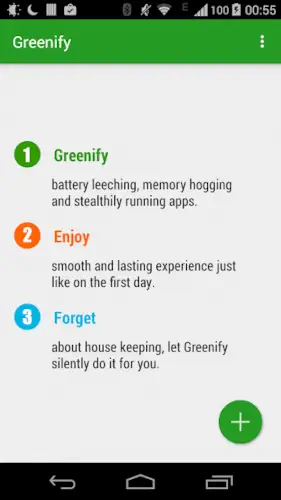
Greenify puts misbehaving apps to sleep when you are not using them.
Your phone has apps that run in the background even when you are not using them. They check for updates. They sync data. They wake the device from sleep. Over time, this drains your battery and slows your phone. Greenify stops that.
What is Greenify exactly?
You are looking at an Android battery optimization app from Oasis Feng that hibernates misbehaving background apps to reduce battery drain and lag.
Greenify identifies apps that keep running in the background and puts them into hibernation when you are not using them. Its goal is to stop unnecessary battery drain and prevent background apps from slowing down the device. The app is designed to work on rooted and non rooted devices, although rooted devices get more control.
Greenify holds a 4.0 star rating from more than 321,000 reviews. The app size is roughly 6 MB. The age rating is Everyone. The app is free with optional in app purchases for the donation package.
An Android battery optimization app that hibernates background apps
The category matters here. Greenify is not a game. It is not a social app. It is a utility tool. It scans your apps. It identifies which ones run in the background. It hibernates them when you are not using them. The hibernation stops battery drain and reduces lag. The app gives you control over background activity.
Who this app was built for
Users who want to extend battery life by stopping background drain
Some apps drain battery even when you are not using them. Greenify puts those apps to sleep. The battery savings can be significant.
People who want to reduce lag caused by background apps
Background apps consume CPU. They slow down your phone. Greenify stops them from running in the background. The phone feels smoother.
Android enthusiasts who want more control over app behavior
The default Android settings give limited control. Greenify gives detailed control. You decide which apps run in the background and which do not.
Users with older devices that need performance optimization
Older devices have less RAM and slower CPUs. Background apps have a bigger impact. Greenify helps older devices run better.
Greenify Main Features
App hibernation for background processes
This is the core feature. Greenify puts selected apps into hibernation. They stop running in the background. They only work when you open them.
Battery saving and performance optimization
Hibernation saves battery. It also frees up CPU and RAM. The device runs smoother and lasts longer.
Works without root on supported Android versions with extra power on rooted devices
Greenify app works on non rooted devices. It uses Android’s accessibility features. On rooted devices, it has more control. It can hibernate system apps.
Aggressive Doze support for stronger standby saving on Android 6 and above
Android has a built in Doze mode. Greenify makes it more aggressive. The device enters Doze faster. The standby battery savings are stronger.
Can help identify apps that wake the phone frequently
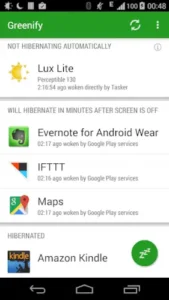
Some apps wake the device from sleep. They drain battery. Greenify shows you which apps do this. You can hibernate the worst offenders.
Widgets and shortcuts for quick hibernation actions
Greenify app has widgets. You can put a hibernation button on your home screen. Tap it to hibernate all selected apps. The action is quick.
Optional system app hibernation with root or donation package support
System apps run in the background. They cannot be hibernated without root or the donation package. The donation package unlocks this feature.
Preserves normal app function when the app is brought to the foreground
Hibernated apps still work. When you open them, they function normally. They only stop running when you close them.
Greenify Interface and Design
Minimal, utility first interface focused on function rather than decoration
The app looks simple. No flashy graphics. No animations. Just a list of apps and controls. The focus is on function.
Layout is straightforward and practical for technical optimization
The layout is clear. You see a list of apps. You select the ones to hibernate. The controls are easy to find.
Clean design helps users quickly pick apps to hibernate and monitor savings
The app is easy to use. You pick apps. You hibernate them. You see the savings. The design supports the workflow.
Where the design works well
The app is fast. It opens quickly. The controls are responsive. The design does not get in the way.
Where benefits depend on device, Android version, and user habits
Greenify is not magic. The benefits vary. Newer Android versions have better battery management. The app helps most on older devices.
What users actually say about the Greenify app
The parts people enjoy
Positive reviews often mention the battery savings. The performance improvement is praised. The control over apps is appreciated.
One user wrote: “Greenify saves my battery. Old phone feels faster. Best battery app.”
The parts people complain about
No utility app escapes criticism. Here is what comes up most often.
Android’s built in battery tools have improved, reducing Greenify’s necessity
Newer Android versions have better battery management. The built in tools are sufficient for many users. Greenify is less necessary on modern devices.
Benefits depend heavily on device, Android version, and user habits
The app helps some users more than others. The benefits vary widely. Results are not guaranteed.
May cause notification delays if messaging apps are hibernated
Hibernated apps do not run in the background. They do not send notifications. If you hibernate a messaging app, you may miss messages.
Some users find configuration complex
The app has many options. New users may find it overwhelming. The configuration takes time.
How the Greenify app mechanics work
Scan background apps running on the device
Greenify app scans your device. It identifies apps that run in the background. The scan is quick.
Select apps to hibernate when not in use
You select apps from the list. You choose which ones to hibernate. The selection is manual.
Greenify keeps them inactive until opened again
Selected apps go into hibernation. They stop running in the background. They only work when opened.
Control and optimize workflow instead of gameplay
Greenify app is not a game. It is a tool. The workflow is scan, select, hibernate, and monitor.
Aggressive Doze strengthens standby savings
Aggressive Doze puts the device into Doze faster. The standby battery savings are stronger.
Root access enables deeper system app control
Root access allows hibernation of system apps. Non rooted devices can only hibernate user apps.
Looking for another Android battery tool that monitors usage and identifies drainers? Check out GSam Battery Monitor, a popular alternative that shows detailed battery statistics and app usage.
Greenify Tips that actually help
You can install Greenify app and hibernate your first few apps in minutes. Getting the best battery savings without breaking essential functions takes a little strategy. These tips help you get the most out of the app.
Start by hibernating apps you rarely use but that still run in the background
Here is a question. Why does your battery drain even when you are not using your phone? Background apps.
Greenify tips from experienced users all say the same thing. Start with the apps you rarely open. Games. Shopping apps. News apps. Social media apps that you check once a day. A player who hibernates rarely used apps sees immediate battery savings. A player who hibernates everything breaks essential functions.
Use Aggressive Doze if your device supports it for stronger standby savings
Android has a built in Doze mode. It saves battery when the phone is idle. Greenify makes it more aggressive.
Aggressive Doze puts the device into Doze faster. The standby savings are stronger. A player who enables Aggressive Doze gets better standby time than a player who does not.
On rooted devices, consider enabling deeper system app control
Greenify app has more features on rooted devices. You can hibernate system apps. You can control deeper processes.
If your device is rooted, enable system app hibernation. A player with root gets more control than a player without root. The extra control can save more battery.
Watch for apps with frequent wakeups or push activity before deciding what to hibernate
Greenify similar apps show battery stats. This app shows wakeup counts.
Some apps wake the device frequently. They check for updates. They sync data. They drain battery. Greenify shows you which apps wake the device most often. A player who hibernates frequent wakeup apps saves more battery than a player who hibernates random apps.
Use widgets or shortcuts for faster access to hibernation actions
Greenify app has widgets. You can put a hibernation button on your home screen.
Tap the widget. All selected apps hibernate. The action is quick. A player who uses widgets hibernates more often than a player who opens the app every time.
Test battery impact over a few days; results vary by device and usage pattern
Greenify works differently on different devices. The savings vary.
Test the app for a few days. Compare battery life before and after. A player who tests knows if the app helps. A player who does not test is guessing.
Keep essential messaging or alarm apps out of hibernation if you need instant notifications
Hibernated apps do not run in the background. They do not send notifications.
If you need instant notifications, do not hibernate messaging apps. Keep WhatsApp, Telegram, and Signal active. A player who hibernates messaging apps misses messages. A player who keeps them active stays connected.
If comparing apps, focus on standby drain first; that is where Greenify helps most
Greenify app is best at reducing standby drain. It stops background activity when the screen is off.
If you are comparing battery apps, focus on standby time. A player who measures standby drain sees the benefit. A player who only measures screen on time misses the point.
Apps similar to Greenify
If you like Greenify, here are other utility apps worth your time. Each offers something similar with a different twist.
AccuBattery
AccuBattery focuses on battery health and charging speed. It measures capacity and tracks wear. The difference is that AccuBattery does not hibernate apps. Good for users who want to monitor battery health rather than control background activity.
GSam Battery Monitor
GSam Battery Monitor shows detailed battery usage. It identifies which apps are draining power. The difference is that GSam does not hibernate apps. Good for users who want to find drainers but prefer to manage them manually.
Android power management utilities
Android has built in power management. Battery Saver mode. Background restriction. Adaptive Battery. The difference is that built in tools are less aggressive than Greenify. Good for users who want basic control without third party apps.
Other battery optimization tools
Other apps like Naptime and ForceDoze offer similar features. They focus on Doze control. The difference is that these apps are more focused and less general. Good for users who want specific Doze optimization without app hibernation.
Conclusion
Greenify works for three types of people. First, users who want to extend battery life by stopping background drain and reducing lag. Second, Android enthusiasts who want more control over app behavior. Third, users with older devices that need performance optimization.
Android’s built in battery tools have improved, reducing Greenify’s necessity. Benefits depend heavily on device, Android version, and user habits. May cause notification delays if messaging apps are hibernated. Some users find configuration complex.
Do you want to stop background apps from draining your battery and slowing your phone, or is the default Android battery management enough for you?
If the first one, Greenify gives you the control you need to optimize battery life and performance. If the second one, you probably do not need this app. Both answers are fine. Just know what you want.
Frequently asked questions about Greenify
How do I get Greenify download on my phone?
Go to the Google Play Store if you use Android. Search for Greenify. The developer is Oasis Feng. Tap install or use the direct link to Download Greenify from the Official Google Play Store
Is Greenify free to use, or do I need to pay?
The app is free with basic functionality. You can hibernate user apps without paying. A donation package unlocks additional features like system app hibernation, which is also available on rooted devices . The free version is sufficient for most users who want to stop background drain from installed apps.
I have a problem with the app. Who do I contact?
If you encounter issues, first check the app’s FAQ section in the settings menu. For technical support, the developer can be reached through the Google+ community linked in the app or by email greenify[at]oasisfeng.com. There is no direct support email publicly listed, but the developer is responsive to issues raised in the community forums and Play Store reviews.
Is Greenify still useful on newer Android versions?
Yes and no. Android has improved its built in battery management over time. Doze mode and background restrictions now handle much of what Greenify used to do. However, Greenify still offers more aggressive control, especially with Aggressive Doze and system app hibernation on rooted devices . The app is most useful for users with older devices or those who want finer control over which apps run in the background.