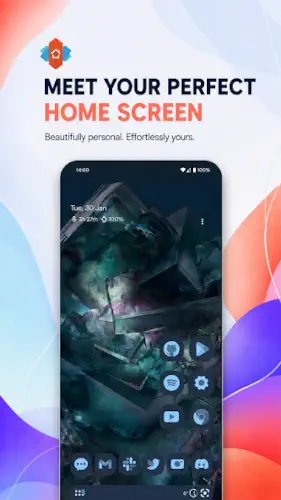
Nova Launcher has been the benchmark for Android customization for over a decade.
Nova Launcher with more than 100 million downloads and a legacy of deep control over grids, icons, gestures and animations, it remains one of the most powerful home screen replacements available. But its 2026 acquisition by Instabridge and the introduction of ads in the free version have changed the conversation. The current Google Play rating sits around 3.9 stars from over 1.3 million reviews, a significant drop from its historic highs. Nova Prime, the paid upgrade, holds a separate 3.7 star rating from around 369,000 reviews.
What Is Nova Launcher?
Nova Launcher is a long standing, highly customizable Android home screen replacement that lets you redesign almost every aspect of your phone’s look and behavior. Originally developed by TeslaCoil, it is now owned by Instabridge Sweden AB. With over a decade of updates, Nova has been the go-to launcher for power users who want deep control over their home screen. It remains feature rich in 2026, but the app now carries a mixed legacy: beloved for its customization depth, yet criticized for new ads, bugs, and privacy concerns under new ownership.
The question most people are asking now is whether Nova is still worth using. The answer depends on what you value. If you want the deepest customization available on Android and are willing to pay for Prime or tolerate ads, Nova still delivers. If you are privacy sensitive or opposed to ad-supported launchers, alternatives like Lawnchair or Niagara may serve you better.
Deep Customization and Grid Control
Nova’s customization depth is still its defining feature. You can adjust grid sizes, icon sizes, padding and label settings with granular precision. Subgrid positioning lets icons and widgets snap between standard grid cells for pixel perfect layouts. The app drawer can be customized with vertical or horizontal scrolling, custom tabs and folders, and adjustable search bar positioning.
That level of control is what made Nova legendary. You can spend hours fine tuning your home screen and still find new options to tweak. For power users who want their phone to look exactly how they imagine, Nova still offers unmatched flexibility. No other conventional launcher gives you this much control over every visual and behavioral detail.
Icon Packs and Theming
Nova supports thousands of third party icon packs from the Play Store. Built-in icon reshaping lets you enforce uniform shapes across all apps, so your home screen looks cohesive even when the icons come from different sources. The color system is extensive, with Material You dynamic colors pulling from your wallpaper on supported devices, plus manual color picks for UI elements.
Light and dark themes can sync with your system, follow sunrise and sunset schedules or be set to fixed times. For anyone who cares about the visual consistency of their home screen, Nova remains the most capable tool for the job. The combination of icon packs, reshaping, and dynamic colors covers almost every aesthetic preference.
Free vs Prime Version
The free version now includes ads in the app drawer, which is a major change from its historic ad-free model. Nova Prime unlocks advanced gestures, app drawer groups and tabs, hide apps, icon swipe gestures, additional scrolling effects and notification badges. Pricing runs around $29.99 for a lifetime purchase or a yearly subscription option. Existing Prime purchases are honored and remain ad-free .
That distinction matters. If you bought Prime years ago, you keep the ad-free experience. New users face a choice: pay for Prime or accept ads. The lifetime option is more expensive than most launchers, but it is a one time payment. The subscription option spreads the cost but adds up over time.
Nova Launcher Core Features
Nova Launcher built its reputation on one thing: giving you control over everything. That has not changed. What has changed is the cost of that control. Here is what Nova still does better than almost anyone else and where the trade-offs now sit.
Home Screen and Grid Control
The grid is your canvas. Nova lets you adjust rows, columns, icon sizes, padding and label settings with a level of precision that most launchers do not even attempt. You can go from a sparse Pixel style layout with four icons per row to a dense productivity dashboard with eight columns and no labels. Every dimension is adjustable.
Subgrid positioning is the feature that separates Nova from the pack. It lets icons and widgets sit between standard grid cells instead of snapping to fixed slots. If you care about symmetry, spacing and pixel perfect alignment, subgrid is the difference between a layout that looks close and one that looks intentional. No other mainstream launcher offers this level of placement control.
App Drawer Customization
The drawer is where you spend most of your time and Nova treats it as a first class feature. You can choose vertical or horizontal scrolling depending on your thumb’s natural motion. Search bar positioning is adjustable. Card style info panels give you quick details about apps without opening them.
With Prime, the drawer gets even more flexible. Custom tabs and folders let you group apps by category. Social in one tab. Work in another. Games in a third. You stop scrolling through everything to find one thing. Hide apps from the drawer without uninstalling them, which is useful for bloatware, banking apps or anything you want accessible but not visible.
Icon Packs and Theming
Nova supports thousands of third party icon packs from the Play Store. That alone puts it ahead of most launchers. But the built-in icon reshaping is what makes the real difference. It enforces uniform shapes across all apps, so your home screen looks cohesive even when the icons come from different packs with different design philosophies.
The color system is extensive. Material You dynamic colors pull from your wallpaper on supported devices. Manual color picks give you control when you want something specific. Light and dark themes can sync with your system, follow sunrise and sunset or be set to fixed schedules. If visual consistency matters to you, Nova gives you the tools to achieve it.
Gestures (Prime)
Gestures are locked behind Prime. That is a real cost, but the feature itself is worth understanding. You can assign actions to swipes, pinches and double taps on the home screen, the dock, or individual icons and folders. Open the camera with a swipe up. Launch your notes app with a double-tap. Toggle Wi-Fi with a pinch on the home screen.
The value is in reduced navigation steps. Every gesture you configure removes a tap or a swipe from your daily routine. Over a year, those seconds add up. For power users who open the same apps dozens of times a day, gestures are not a gimmick. They are a workflow improvement.
Search and Micro Results
Nova’s search is not just an app finder. It searches across apps, contacts and integrated services. The Micro Results feature delivers instant answers for calculations, unit conversions, package tracking and more. You type a math problem and get the answer without opening a calculator. You paste a tracking number and see the status without opening a browser.
That integration turns the search bar into a command center. For users who value efficiency, it means fewer app switches and fewer context shifts. You stay in the launcher and get what you need without breaking focus.
Backup and Restore
Nova’s backup and restore system is one of its most underrated features. You can save your entire home screen setup locally or to the cloud and restore it on a new device or after experimenting with a new layout. That means you can try a bold new design without fear, knowing you can revert in seconds.
For anyone who switches phones regularly or enjoys experimenting with layouts, this is invaluable. Most launchers make you rebuild from scratch. Nova lets you carry your setup forward. This feature alone justifies the Prime cost for some users.
Privacy and Data Safety
This is where Nova’s 2026 reputation takes the hardest hit. The app may share location and app info with third parties. It collects app activity and device IDs. Data is encrypted in transit and can be deleted on request. But ad and tracking SDKs have been added to the free version, including Facebook Ads and Google AdMob.
That is a significant change from Nova’s earlier privacy friendly image. Long time users who chose Nova partly for its clean data practices now find themselves in a different relationship with the app. If privacy matters to you, review the data safety section carefully before installing. The customization depth is real. So is the trade-off.
Check out Lawnchair for an open source, ad-free Pixel style launcher, or explore the full collection of Android tool apps to find your next home screen tool.
Nova Launcher Graphics and Design
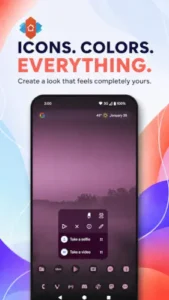
Nova Launcher offers highly customizable visuals. You can change icon sizes, shapes, label fonts and colors, grid density and animation speeds to create anything from a clean Pixel like look to a dense information rich home screen. Themes and icon packs allow for consistent stylized looks across all apps. Material You integration pulls colors from your wallpaper for system wide theming.
The free version now includes banner ads in the app drawer and elsewhere, which many users find visually intrusive. For a launcher that built its reputation on a clean, uncluttered interface, the ads represent a significant downgrade. Nova Prime removes them. There are no game like graphics or decorative themes beyond what you configure yourself.
Nova Launcher Tips
Beginner Advice
Start with a clear goal for your layout. Before you touch a single setting, decide what you actually want. A clean Pixel style look? A dense productivity hub with widgets everywhere? A gaming focused home screen with quick launch folders? The goal shapes every decision that follows. Grid size, icon scale, animation speed, widget placement. Without a target, you will spend hours tweaking and never feel finished.
Use subgrid positioning for precise alignment. Enable subgrid snapping in Nova settings. This lets icons and widgets sit between the standard grid cells instead of forcing them into fixed slots. If you care about symmetry and spacing, subgrid is the difference between “close enough” and “exactly right.” It is one of Nova’s most underused features.
Leverage icon packs and reshaping for a consistent look. Install a quality icon pack from the Play Store, then use Nova’s built-in reshaping to enforce a uniform shape across all icons. Circle, squircle, rounded square. Pick one and apply it globally. This solves the visual mismatch problem that happens when apps ship with wildly different icon styles. The result looks intentional instead of accidental.
Configure gestures if you have Prime. Gestures are locked behind the Prime paywall. If you have already paid, use them. Map common actions to swipes, double taps or pinches on the home screen, dock or individual icons. Open the camera with a swipe up. Launch your notes app with a double-tap. Toggle Wi-Fi with a pinch. Every gesture you set up removes a step from your daily routine.
Organize the app drawer with tabs and folders. If you have Prime, create custom tabs for Social, Work, Games and Tools. It turns a chaotic alphabetical list into a structured system. If you are on the free version, hide rarely used apps instead. A clean drawer is easier to navigate than a full one, no matter which tier you are on.
Set up backup and restore early. Once you have a layout you like, back it up. Nova lets you save your entire home screen setup locally or to the cloud. Store it in both places. When you switch phones or experiment with a new layout, you can restore in seconds. Without a backup, you start from zero every time.
Manage ads and privacy settings based on your comfort level. The free version has ads in the app drawer and elsewhere. If that bothers you, Prime is the fix. If you are privacy sensitive, review the data safety section and limit permissions where possible. Nova now shares location and app info with third parties and collects device IDs. Know what you are agreeing to before you grant access.
Test different grid sizes to find what fits your screen. The default grid may not suit your display. A tall phone with a 6.7 inch screen can handle more rows and columns. A smaller phone needs fewer. Experiment with grid density until the layout feels right. This is a five minute change that improves every interaction.
Explore Material You theming if your phone supports it. On Android 12 and above, Nova can pull colors from your wallpaper and apply them across the launcher. It makes your home screen feel cohesive with your device theme. If your phone supports it, try it. If not, manual color picks work just as well.
Review data safety settings if you are privacy-sensitive. Nova’s data practices are more permissive than they used to be. Ad and tracking SDKs have been added to the free version. If that concerns you, consider whether the customization depth is worth the trade-off. Alternatives like Lawnchair or Niagara offer different privacy postures.
Advanced Strategy
Map gestures to reduce navigation steps. Every second counts when you are opening an app fifty times a day. Map your most used apps to gestures. Camera on swipe up. Messages on double tap. Settings on pinch. After a week, the gestures become reflex. You stop thinking about how to open things and just do it.
Create multiple backup profiles for different layouts. One backup for your daily driver. Another for a minimal travel setup. A third for a distraction free work mode. Nova lets you save and restore different configurations. Switching between them takes seconds. This is especially useful if you use your phone differently in different contexts.
Use custom tabs to group apps by category. The default alphabetical drawer is functional but slow. Custom tabs turn it into a system. Social apps in one tab. Work tools in another. Games in a third. You stop scrolling through everything to find one thing. This requires Prime but is worth the upgrade if you have a lot of apps.
Experiment with animation speeds for perceived performance. Nova lets you adjust animation speed and transition effects. Faster animations make the phone feel snappier, even if the hardware has not changed. Slower animations can feel more deliberate. Find the speed that matches your preference and your device’s capabilities.
Combine icon packs with reshaping for a unique look. Most people install an icon pack and stop there. Take it a step further. Use Nova’s reshaping to enforce a consistent shape. Then adjust icon size and label settings to match. The result is a home screen that looks designed rather than assembled.
Hide rarely used apps to declutter the drawer. Apps you open once a month do not need to appear in your drawer every day. Hide them. The drawer becomes leaner and faster to navigate. You can always unhide them when you actually need them.
Test performance after updates to catch regressions. Nova has had stability issues in recent updates. After any app update, spend a few minutes using the launcher normally. Check for crashes, freezing on wake, or drawer sorting problems. If something breaks, report it and consider rolling back to a previous version if possible.
Share setups with the Nova community for inspiration. The r/NovaLauncher subreddit and the official Discord server are active with users sharing setups, icon pack recommendations and tips. Seeing what others have built can inspire changes you would not have considered. The community is one of the few things that has not degraded with the acquisition.
Consider Prime if ads and locked features become frustrating. The free version is usable, but the ads are intrusive and many features are locked. If you find yourself annoyed daily, Prime is the fix. The lifetime option costs around $29.99. The subscription spreads the cost. Either way, if you use Nova as your daily launcher, the upgrade pays for itself in reduced frustration.
Evaluate alternatives if privacy concerns outweigh customization benefits. Nova is no longer the privacy friendly launcher it once was. If data sharing and tracking SDKs concern you more than customization matters, look at Lawnchair, Niagara or KISS Launcher. Each offers a different balance. The right choice depends on what you value most.
Nova Launcher Similar Apps
| App | Best for | Key Difference |
|---|---|---|
| Nova Launcher | Deep customization, former Nova users | Most feature rich conventional launcher. Now ad-supported and privacy controversial. |
| Lawnchair | Pixel style minimalism, open source | Free, open source, no ads. Clean Pixel like design. Fewer advanced gestures than Nova. |
| Smart Launcher 6 | Automated organization plus customization | Auto sorts apps into categories. Strong customization but less classic Nova feel. |
| Niagara Launcher | Minimalism with one handed ergonomics | Vertical list plus wave alphabet. Ad-free. Different interaction model than Nova. |
| Microsoft Launcher | Productivity and Microsoft ecosystem | Strong Microsoft 365 integration. Less granular visual control than Nova. |
Nova remains the most powerful conventional launcher for experienced users. But the 2026 ad and tracking changes make alternatives more attractive for some. If you want deep customization and are willing to pay for Prime or tolerate ads, Nova is still the answer. If you want a clean, ad-free experience, Lawnchair or Niagara are better fits.
Best Android Launchers That Shine in the current market
The launcher market has changed dramatically in 2026. Nova’s acquisition, the introduction of ads in previously clean apps and the rise of minimalist alternatives have shifted the landscape. Here are the launchers that actually deliver on their promises right now.
Lawnchair is the best open source, ad-free conventional launcher. It offers a Pixel style grid layout with enough customization to feel personal without overwhelming you. No ads, no tracking SDKs, no subscription. It is free and community maintained. If you want the Nova experience without the 2026 baggage, Lawnchair is the closest replacement.
Niagara Launcher is the best minimalist launcher with one handed ergonomics. The vertical list and wave alphabet make every app reachable with your thumb. It is ad-free even in the free version. The Pro upgrade costs around $13.99 per year or $42.99 lifetime. The core experience is fast, clean, and thoughtfully designed.
KISS Launcher is the best search first launcher for speed and privacy. It is 250 KB, has no internet permission and collects no data. You type a few letters to launch anything. It is the most privacy focused launcher on this list. If you want a launcher that does not participate in the data economy at all, KISS is the answer.
Olauncher is the best text only launcher for distraction reduction. It shows a plain text list of apps with no icons. It is free, open source, and collects no data. If you want a dumb-phone experience on your smartphone without buying new hardware, Olauncher delivers.
Smart Launcher 6 is the best launcher for automated organization. It auto sorts apps into categories so you do not have to. The free tier is functional. Pro adds more customization. If you want your drawer organized without manual effort, Smart Launcher handles that.
Nova Launcher is still the best launcher for deep customization. If you want granular control over grids, icons, gestures and themes, and you are willing to pay for Prime or tolerate ads, Nova remains the most powerful tool for the job. But it is no longer the automatic choice it once was.
The right launcher depends on what you value. Customization depth? Nova. Privacy and speed? KISS. Minimalism with ergonomics? Niagara. Open source simplicity? Lawnchair. Text only distraction reduction? Olauncher. Automated organization? Smart Launcher. Each solves a different problem. Pick the one that matches yours.
Who Is Nova Launcher For?
Nova Launcher is for power users who want deep customization. If you have ever spent an afternoon tweaking your home screen layout, changing icon sizes, adjusting grid density, and configuring gestures, Nova is built for you. The level of control is unmatched. No other conventional launcher gives you this much flexibility.
Long time Nova users considering whether to stay will find the decision harder in 2026. The app they loved for its clean interface and privacy friendly design now has ads, tracking SDKs, and a subscription model. Whether you stay depends on how much the customization depth matters versus how much the changes bother you.
Users who prioritize features over simplicity will find Nova delivers. The app does almost everything. Gestures, icon packs, backup and restore, search with micro results, app drawer customization. If you want a launcher that can do it all, Nova is still that launcher.
People willing to pay for Prime or tolerate ads will get the most from Nova. The free version is usable but compromised. The paid version is where the full experience lives. If you are not willing to pay and cannot tolerate ads, alternatives may serve you better.
If you want the deepest customization available on Android, Nova Launcher is still worth considering.
What Users Say About Nova Launcher App
What Works
Long time users and reviewers praise Nova’s ability to tweak almost every visual and behavioral aspect of the home screen and app drawer. The performance has historically been fast and smooth, even on older devices, though recent updates have introduced stability complaints. The backup and restore system is frequently highlighted as invaluable for switching phones or experimenting with layouts without losing your setup. Advanced gestures on the home screen, dock, and icons are loved by power users for boosting productivity.
Where The App Could Improve
Many users are upset about banner ads in the app drawer and elsewhere, describing them as intrusive and greedy, especially in a launcher they have used for years. Recent reviews mention screen freezing on app launch or wake, random crashes, app drawer sorting problems and icons overlapping in search. Analyses and user reports note added ad and tracking SDKs, including Facebook Ads and Google AdMob and data sharing practices that feel invasive compared to Nova’s earlier privacy friendly image. Existing Prime buyers feel betrayed by the introduction of subscriptions and new paid tiers, with some features they expected to be unlocked forever now feeling limited or overshadowed by new monetization.
Check out Lawnchair for an open source, ad-free Pixel style launcher.
How to Separate Work and Personal Apps on Your Android Phone
If you are using the same phone for work and personal life, mixing apps in one drawer is a recipe for distraction and accidental context bleed. Here is how to separate them cleanly and how Nova Launcher can help.
Use Android’s built-in Work Profile. Most Android phones support a Work Profile through your employer’s device management system or through apps like Island or Shelter. A Work Profile creates a separate container for work apps. They have their own icons, their own notifications, and their own data. Work apps cannot see your personal apps, and personal apps cannot see work data. This is the most secure way to separate the two.
Use Nova Launcher’s app drawer tabs. If you have Nova Prime, you can create custom tabs in the app drawer. One tab for work apps. One tab for personal. One tab for games. This does not create a hard security boundary like Work Profile, but it does keep things visually separated. When you open the drawer, you see only the tab you select.
Hide work apps from the main drawer. Nova Prime lets you hide apps from the drawer without uninstalling them. Hide all work apps from your default view. When you need them, switch to a work tab or search for them directly. This keeps your personal drawer clean and reduces the temptation to check Slack on a Saturday morning.
Use folders for work and personal grouping. If you are on the free version, folders are still available. Create a “Work” folder on your home screen with all work apps inside. Create a “Personal” folder for everything else. It is not as elegant as tabs, but it gets the job done without any paid upgrade.
Consider separate home screens. Nova lets you have multiple home screen pages. Dedicate one page to work apps and widgets. Keep the rest for personal. When you swipe to the work page, you are in work mode. When you swipe back, you are done.
Use Focus Mode or Digital Wellbeing. Android’s built-in Focus Mode lets you pause distracting apps during certain hours. You can pause work apps after 6 PM and pause personal apps during work hours. This adds a time based layer to the separation that folder organization cannot provide.
Conclusion
Nova Launcher remains one of the most deeply customizable conventional Android launchers. For power users who want control over grids, icons, themes, gestures, and workflows, Nova still delivers unmatched flexibility and a mature feature set. The backup and restore system, the icon pack support and the gesture system are all best in class.
But the 2026 reality is complicated. Ads in the free version are intrusive. Bugs and stability issues have crept in. Privacy concerns around added tracking SDKs are valid. The monetization model has confused and frustrated long time Prime users. The Android rating has dropped significantly for a reason.
For users willing to pay for Prime and accept the trade-offs, Nova still offers the most powerful home screen customization available. For users who are privacy sensitive or opposed to ad-supported launchers, alternatives like Lawnchair or Niagara offer a better balance of features and trust.
If you want the deepest customization available on Android and are willing to pay for it, Nova Launcher is worth downloading. Just know what you are getting into.
The king of customization still sits on the throne. But the crown is heavier than it used to be.
FAQ (Frequently Asked Questions)
How do I download Nova Launcher and is it still free?
Nova Launcher is free to download from the Official Google Play Store. The free version includes the core launcher with deep customization options for grids, icons, themes and search. However, the free version now includes ads in the app drawer and other areas, which is a significant change from its earlier ad-free model. Nova Launcher Prime is available as a lifetime purchase around $29.99 or a yearly subscription, unlocking advanced gestures, app drawer groups, hide apps, icon swipe gestures and removes ads. If you bought Prime before the 2026 changes, your purchase is honored and remains ad-free.
Where can I find guides and community resources?
The official Nova Launcher website has documentation, update posts, and the “Nova is here to stay” roadmap from Instabridge explaining future plans. For community discussions, tips and setup inspiration, the r/NovaLauncher subreddit is active with users sharing custom layouts, icon pack recommendations, and troubleshooting advice. The official Discord server provides real time chat and support. YouTube also has extensive tutorials covering everything from basic setup to advanced gesture configuration. The broader Android customization community on XDA forums and Reddit’s r/androidthemes is another useful resource.
What if I encounter a problem or need support?
For technical issues, bug reports or questions about billing, contact Nova Launcher support through the in-app support option or the official channels linked on the Nova Launcher website. The developer email (support[at]novalauncher.com) for direct support inquiries is available through the Play Store listing and the official website contact section. If you experience crashes, freezing or drawer sorting problems after an update, reporting the issue with your device model and Android version helps the team troubleshoot.
What is the difference between the free version and Nova Launcher Prime?
The free version gives you the core launcher with extensive customization for grids, icon sizes, padding, labels, icon packs, theming, search with Micro Results and basic app drawer options. It now includes ads in the app drawer and elsewhere. Nova Prime unlocks advanced gestures on the home screen, dock and individual icons, custom app drawer tabs and folders, the ability to hide apps without uninstalling, icon swipe gestures, additional scrolling effects and notification badges. Prime removes ads. Pricing runs around $29.99 for lifetime access or a yearly subscription option. Existing Prime purchases from before the 2026 changes remain valid and ad-free.
Is Nova Launcher still worth using compared to alternatives?
That depends on what you value. Nova remains one of the most feature rich conventional Android launchers. The customization depth for grids, icons, themes, and gestures is still unmatched by most alternatives. If you want complete control over every visual and behavioral aspect of your home screen, Nova still delivers. But the 2026 reality includes ads in the free version, added tracking SDKs, stability complaints and a monetization model that has frustrated long time users. If privacy matters to you or you want an ad-free experience without paying, alternatives like Lawnchair (open source, Pixel style), Niagara Launcher (one handed ergonomics, ad-free), or KISS Launcher (search first, no internet permission) offer different balances. Test Nova first, understand the trade-offs, and decide based on what matters most to you.